The Best ManageWP Alternative in 2026: Escaping the GoDaddy Ecosystem
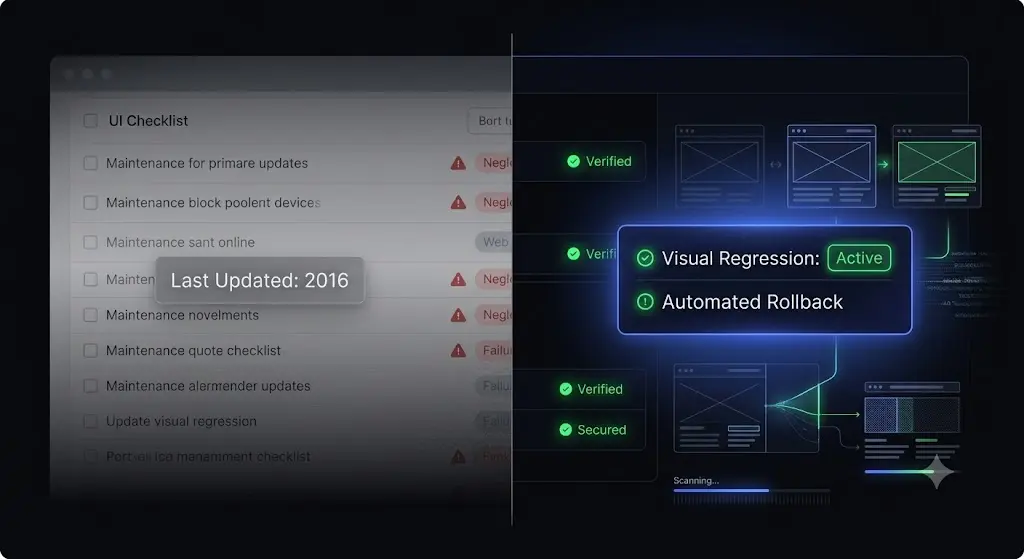
It happens on a Friday afternoon. You log into your ManageWP dashboard to execute your weekly routine. You select 45 client sites, hit “Update All,” and wait. Two hours later, a frantic email arrives from your highest-paying e-commerce client: the WooCommerce checkout button has disappeared.
You stare at the screen and realize something deeply frustrating: the interface, the workflow, and the underlying technology you are relying on to run your agency look exactly the same as they did a decade ago.
When GoDaddy acquired ManageWP in 2016, the WordPress community held its breath. Unfortunately, the fears of agency owners were validated. Meaningful feature development essentially halted. While the WordPress ecosystem evolved into complex headless setups, heavy JavaScript frameworks, and intricate WooCommerce builds, ManageWP remained stuck in the era of simple PHP blogs.
Today, using ManageWP is an operational liability. Relying on basic HTTP checks to verify updates, dealing with slow dashboard response times, and paying a-la-carte for every basic feature actively destroys agency profit margins. If you manage WordPress retainers, you cannot afford to rely on stagnant technology. You need an autonomous system that actively verifies its own work.
This guide breaks down exactly why agencies are migrating away from the GoDaddy Pro ecosystem, the hidden financial drain of legacy tools, and why SiteOps is the definitive ManageWP alternative available in 2026.
Quick Answer: What is the best ManageWP alternative?
The best ManageWP alternative for web agencies is SiteOps. While legacy tools like ManageWP act as simple remote controls that push blind updates, SiteOps operates as an autonomous AI tester. It is the premier godaddy pro alternative because it replaces ManageWP’s flawed HTTP server checks with AI visual regression testing, automatically rolling back failed plugin updates if a client’s frontend visual layout breaks.
Part 1: The GoDaddy Acquisition and the Era of Stagnation
To understand why agencies are leaving in droves, you must understand exactly where ManageWP fails in a modern agency workflow. You cannot fix a problem if you do not understand its architectural root.
The Pre-2016 Golden Era
Before the acquisition, ManageWP was a pioneer. It was the first platform to successfully solve the “multiple logins” problem. Freelancers who previously spent hours logging into individual wp-admin panels could finally centralize their operations. It was a brilliant remote control.
The Innovation Freeze
When GoDaddy purchased the platform and integrated it into the GoDaddy Pro suite, the development roadmap flatlined. The primary objective shifted from building the best WordPress maintenance tool for independent agencies to building a tool that fed users into GoDaddy’s hosting ecosystem.
During the last ten years, the web fundamentally changed. Page builders like Elementor and Bricks introduced immensely complex Document Object Models (DOMs). Caching mechanisms became highly aggressive. E-commerce sites required transactional integrity. Yet, ManageWP’s core update verification system did not evolve to meet these new complexities.
Today, ManageWP is a functional executor. It will send a command to a server. But it is a terrible Quality Assurance (QA) tester. And in 2026, execution without QA verification is a massive liability.
Part 2: The Technical Failure of ManageWP’s “Safe Updates”
Agencies pay for maintenance platforms to mitigate risk. The most dangerous action you take on a client site is updating a third-party plugin. According to WPScan vulnerability database reports, over 90% of WordPress security exploits originate from outdated plugins. You must update them. But how you update them matters.
ManageWP charges a premium for a feature called “Safe Updates.” This is where the platform’s architectural age becomes dangerously apparent.
The HTTP 200 Status Code Fallacy
Here is exactly how ManageWP’s Safe Updates work:
- The system triggers a backup.
- It pushes the new plugin files to the server.
- It sends an HTTP ping to the website’s homepage.
- If the server responds with a 200 OK status code, ManageWP flags the update as successful.
In 2026, an HTTP 200 status check is vastly inadequate. An HTTP 200 code simply means the server is turned on and responded to a request.
It does not verify if your CSS grid completely shattered. It does not verify if a minor JavaScript conflict from a caching plugin hid your primary lead capture form. It does not verify if your mobile navigation menu is broken.
A plugin update can cause catastrophic visual damage to your client’s frontend, and ManageWP will still highlight the site in green and tell you everything is perfectly fine. This false sense of security is the primary reason agencies are seeking a ManageWP vs SiteOps comparison.
The Hidden Cost of Blind Updates
When you rely on blind updates, you are playing Russian Roulette with your client’s revenue. If you push an update on Friday evening that breaks a WooCommerce checkout, and you don’t notice until Monday morning, the financial damage is done.
The hidden cost of broken WordPress updates goes beyond the immediate lost sales. It drains your agency’s billable hours as you scramble into triage mode, and more importantly, it permanently damages client trust. When a client finds a broken page before their agency does, the perceived value of the monthly maintenance retainer instantly evaporates.
Part 3: The Economic Trap of ManageWP Pricing
ManageWP’s pricing model is a brilliant psychological trap designed to penalize your agency’s growth.
The Illusion of “Free”
ManageWP advertises a free tier. This gives you the basic dashboard, 1-click updates, and monthly backups. But a monthly backup is useless for a site that publishes content daily or processes transactions hourly.
To actually run a professional agency, you must purchase the premium add-ons.
The A-La-Carte Scaling Penalty
ManageWP bills every useful feature individually, per site, per month.
- Safe Updates: $2 per site
- Automated Daily Backups: $2 per site
- Advanced Security Scanning: $1 per site
- Uptime Monitoring: $1 per site
- White Label Reporting: $1 per site
If you want a fully featured, secure setup, you are paying roughly $6 to $7 per site, per month.
This seems negligible when you have three clients. But consider the math as you scale. If you manage multiple WordPress sites](https://siteops.datronixtech.com/manage-multiple-wordpress-sites) let’s say 50 clients your software overhead exceeds $300 monthly. If you manage 100 sites, your GoDaddy bill is $600 a month.
Every single time you close a deal and sign a new maintenance client, your profit margin on that specific retainer shrinks because your software costs increase linearly. You are penalized for acquiring new business.
The Unbillable Hours Drain
The software cost is only half the economic trap. Because ManageWP cannot visually verify its own updates, your agency must compensate with manual labor.
If you want to guarantee safety, you must clone every site to a staging environment, run the updates, and manually click through the pages to check for visual breakages. If your senior developer spends 10 hours a month manually QA testing updates across 50 sites, you are burning thousands of dollars in unbillable time.
You cannot build a profitable WordPress maintenance retainer if your workflow requires intense, manual human intervention.
Part 4: Why SiteOps is the Only True ManageWP Alternative in 2026
When searching for a ManageWP replacement, some agencies consider self-hosted options, searching for a MainWP alternative to avoid SaaS fees. However, self-hosted tools simply trade the GoDaddy ecosystem for the burden of managing your own command center server, and they still lack automated visual verification. A deeper dive into MainWP vs ManageWP vs SiteOps reveals that self-hosting does not solve the QA testing bottleneck.
Agencies are migrating to SiteOps because it is not just a remote control; it is an autonomous WebOps platform. It completely removes the human element from routine maintenance verification.
Here is exactly how SiteOps fundamentally redesigns the agency workflow and proves itself as the ultimate AI WordPress maintenance solution.
1. Visual Regression Testing Replaces Blind Updates
SiteOps completely solves the ManageWP HTTP 200 fallacy. It is engineered to guarantee safe WordPress updates by using pixel-perfect visual regression testing.
When you trigger an update on SiteOps, it does not rely on a simple server ping. It acts exactly like a human QA tester:
- The Baseline: The system spins up a headless Chromium browser instance. It visits your live production site and takes a high-resolution snapshot of the Document Object Model (DOM) and a visual screenshot of key pages.
- The Execution: It applies the plugin or core update.
- The Cache Purge: SiteOps automatically clears server-side and edge caching to ensure it is viewing the live, updated code.
- The Post-Update Snapshot: The headless browser returns and takes a second set of screenshots.
- AI Variance Analysis: Artificial intelligence overlays the images. It can differentiate between expected dynamic content (like a rotating hero banner or a newly published blog post) and a fatal layout break (like a missing navigation menu, a shifted CSS grid, or a failed font load).
If you want to know exactly how to integrate this into your workflow, you can read our deep dive on how to safely update WordPress plugins without risking client downtime.
2. Instant Autonomous Auto-Rollbacks
Visual regression testing is incredible technology, but it is only half the solution. A WordPress monitoring tool that detects a broken site and sends you an email at 3:00 AM is still just giving you a job to do.
True automation requires the system to take immediate action.
If SiteOps detects a broken layout, a missing button, or a white screen after an update, it does not just send an alert. It instantly triggers an autonomous auto-rollback. Within seconds, it queries your backup vault and restores the MySQL database and file system to their exact, stable pre-update state.
The client never sees the broken site. Their customers can still process orders. You simply wake up to a dashboard notification explaining which specific plugin failed the visual QA test, allowing you to investigate on a staging server at your convenience.
This single feature completely eliminates the need for manual staging site tests, allowing you to automate WordPress maintenance for multiple sites and save hundreds of unbillable hours every month.
3. Flat-Rate Unlimited Agency Pricing
SiteOps was designed specifically by agency veterans to protect your profit margins. It completely discards the GoDaddy a-la-carte pricing trap.
The pricing model is built for infinite scaling:
- Starter: Free forever for 1 site (ideal for testing the workflow).
- Pro Plan: ₹2,499/month for up to 10 sites.
- Agency Plan: ₹5,999/month for unlimited sites.
Whether you manage 25 sites, 150 sites, or 500 sites, your monthly software overhead on the Agency plan never increases. Every time you sign a new maintenance retainer, you retain 100% of the profit margin. This flat-rate model fundamentally changes how quickly an agency can scale its Monthly Recurring Revenue (MRR).
Part 5: Expanding Beyond ManageWP (Feature by Feature)
Replacing ManageWP is not just about safer updates; it is about upgrading your entire operational stack. SiteOps replaces four or five separate, disjointed tools with a single, unified command center.
Proactive 4-Level Deep Security Scanning
ManageWP relies on reactive blacklist verification. If Google flags your site for malware, ManageWP alerts you. That is too late. The SEO damage is done.
SiteOps acts as an advanced WordPress security monitoring platform, utilizing a 4-level deep scanning architecture to prevent breaches before they occur:
- Core File Integrity: Daily autonomous checks against WordPress.org cryptographic checksums to ensure no malicious code has been injected into
wp-adminorwp-includesfiles. - Active CVE Tracking: Continuous real-time cross-referencing of your active plugins and themes against global Common Vulnerabilities and Exposures (CVE) databases. SiteOps flags zero-day vulnerabilities in your portfolio before patches are even announced.
- Deep Malware Scanning: Deep scanning of the
wp-contentdirectory and the MySQL database to detect obfuscated PHP backdoors and spam link injections. - Configuration Hardening: Automated audits of
wp-config.phpand.htaccessfile permissions.
High-Frequency Uptime Monitoring & 1-Click Access
When a server crashes, time to resolution is the only metric your client cares about.
While legacy tools ping your site once an hour, SiteOps features native WordPress uptime monitoring that pings your entire portfolio every 5 minutes.
More importantly, if a site goes down, you do not have to waste time digging through a password manager like 1Password or LastPass to find the client’s credentials. SiteOps provides 1-click secure, tokenized admin access directly from the dashboard. You click a button, bypass the wp-login.php screen, and instantly enter the backend to begin triage.
When comparing the best WordPress monitoring tools in 2026, this combination of high-frequency checks and instant access is a massive operational advantage.
AI-Generated White-Label Client Reporting
If you want to maintain a high retention rate on your retainers, you must prove your invisible labor.
A traditional ManageWP report is a static PDF listing “34 plugins updated this month.” Clients do not understand what that means, so they stop reading them. If they stop reading them, they eventually ask, “Why am I paying you $300 a month?”
SiteOps revolutionizes white-label WordPress maintenance reporting. It uses artificial intelligence to analyze the month’s raw data uptime percentages, security firewall blocks, database optimizations, and specifically, layout breaks that were prevented by auto-rollbacks.
The AI transforms this raw data into a customized, human-readable executive summary. It translates technical actions into business value, proving exactly why the client’s investment in your agency is justified.
Part 6: The Agency Migration Blueprint (Escaping GoDaddy)
One of the primary reasons agencies endure ManageWP’s stagnation is the perceived nightmare of migrating 50 or 100 client sites to a new platform. The thought of downtime or lost backup data keeps agencies paralyzed.
With SiteOps, migration is completely frictionless, requires zero downtime, and can be executed progressively. You do not have to pull the plug on ManageWP all at once.
Step 1: Account Creation and Portfolio Audit
Start by creating your free SiteOps account. Before moving anything, review your ManageWP dashboard and prune your portfolio. Remove staging sites, inactive clients, or dead subdomains that are cluttering your view.
Step 2: Deploying the SiteOps Worker
SiteOps connects to your client sites via a highly optimized, lightweight worker plugin. You can install this plugin manually via the WordPress repository, or upload it in bulk if you use a centralized deployment tool.
Step 3: The Coexistence Testing Period
You do not need to uninstall ManageWP to use SiteOps. Both worker plugins can safely coexist on the same WordPress installation without conflict.
We highly recommend connecting a subset of your sites (perhaps 5 or 10 low-risk sites) to SiteOps first. Leave ManageWP active. Trigger a few plugin updates via SiteOps. Watch the visual regression testing in action. Experience an auto-rollback. Verify the 5-minute uptime monitors are firing.
This coexistence period allows your team to familiarize themselves with the AI workflow and build confidence in the autonomous safety features.
Step 4: Severing GoDaddy Ties
Once you are confident in the SiteOps infrastructure and have successfully executed your WordPress maintenance checklist using the new tools, the final step is simple.
Using your SiteOps dashboard, you can bulk-deactivate and delete the old ManageWP worker plugin from all your client sites. Finally, log into your GoDaddy Pro account, delete the sites from the legacy dashboard, and cancel your a-la-carte billing subscriptions. Your profit margins immediately increase.
Part 7: Feature Comparison Table
To clearly summarize why SiteOps is replacing legacy tools across the industry, examine how the structural capabilities compare side-by-side.
| Core Capability | ManageWP (GoDaddy Pro) | SiteOps (AI Automation) | Impact on Agency Workflow |
|---|---|---|---|
| Update Verification | Flawed HTTP 200 Check | Pixel-Perfect Visual Regression | Eliminates manual QA staging hours |
| Broken Code Handling | Sends an email; site stays broken | Instant Autonomous Auto-Rollback | Protects client revenue immediately |
| Security Architecture | Reactive Blacklist Verification | 4-Level Deep Scan (incl. CVE tracking) | Prevents hacks before they occur |
| Uptime Monitoring | Varies based on paid add-on | Native 5-Minute Checks | Drastically speeds up failure detection |
| Client Reporting | Static PDF Lists | AI-Generated Executive Summaries | Increases client retention rates |
| Agency Pricing Model | A-La-Carte (Scales linearly) | Flat Rate (Unlimited Sites available) | Retains 100% of profit on new clients |
Part 8: Comprehensive Frequently Asked Questions
Why are agencies looking for ManageWP alternatives in 2026? Since GoDaddy acquired ManageWP in 2016, feature innovation essentially halted. Agencies are frustrated by its reliance on outdated HTTP 200 checks for updates, its lack of visual regression testing, and an a-la-carte pricing model that penalizes agency growth by increasing costs with every new client.
What is the best alternative to ManageWP? For agencies prioritizing production safety and profit margins, SiteOps is the premier choice. It replaces ManageWP’s blind updates with AI visual regression testing and instant auto-rollbacks, ensuring a broken layout is never pushed to a live production environment.
Is ManageWP’s “Safe Updates” feature actually safe? No. ManageWP relies on basic HTTP status checks. A plugin update can completely break your CSS layout, hide your checkout forms, or cause fatal frontend visual errors, and the server will still return a 200 OK status. True safe updates require visual regression testing.
How does pricing compare between ManageWP and SiteOps? ManageWP uses a modular model where you pay per-site, per-month for essential features like backups, safe updates, and security. This scales rapidly and eats into your margins. SiteOps offers a flat-rate Agency plan for unlimited sites, which is far more profitable for growing agencies.
What is visual regression testing in WordPress? Visual regression testing uses a headless browser to take a screenshot of your site before an event (like a plugin update), and another screenshot immediately after. AI compares the images pixel-by-pixel to detect visual breaks, missing elements, or layout shifts that legacy tools miss.
Does GoDaddy own ManageWP? Yes. GoDaddy acquired ManageWP in September 2016 and integrated it into their GoDaddy Pro brand. While you can still use it with any web host, the acquisition led to a massive slowdown in platform innovation and feature releases.
What is a good ManageWP alternative for security? While ManageWP relies on reactive blacklist checking, modern alternatives like SiteOps utilize proactive 4-level deep scanning. This includes continuously cross-referencing your active plugins against global CVE vulnerability databases to catch exploits before patches are even available.
How do I migrate from ManageWP to a new tool? Migrating is simple and requires zero downtime. You install the new platform’s worker plugin (like the SiteOps connector) on your client sites and verify the connection. Once connected and tested, you simply deactivate and delete the ManageWP worker plugin from the client sites.
Can I automate WordPress updates safely without ManageWP? Yes, but only if your automation tool includes visual verification. Blindly auto-updating plugins is dangerous. Safe automation requires a modern platform that can visually “see” if the update broke the frontend and automatically reverse the action.
Why is MainWP not the best alternative to ManageWP? While MainWP offers good privacy, it is a self-hosted platform. This means you must pay for, maintain, secure, and update your own command center server. It also lacks native AI visual regression testing, meaning you still push updates blindly.
Does SiteOps slow down my client’s website? No. Advanced platforms like SiteOps process the heavy lifting (like visual regression testing image rendering and AI analysis) entirely on their own cloud infrastructure. They interact with your client’s site via lightweight API calls, resulting in zero performance impact for real visitors.
What happens if a plugin update breaks a site on SiteOps? The system detects the visual break during the update process. Before the end-user ever sees the error, the AI autonomously triggers an auto-rollback, restoring the site’s database and files to their stable pre-update state in seconds.
Can AI write my WordPress maintenance reports? Yes. SiteOps uses AI to synthesize raw data (uptime stats, security blocks, plugin updates, and prevented layout breaks) into clear, human-readable executive summaries, helping clients easily understand the value of their retainer without needing to interpret technical logs.
How often does SiteOps monitor uptime? SiteOps pings your connected websites every 5 minutes to ensure they are online and responding. If a site fails to respond, you receive an immediate alert and can use the 1-click admin access feature to troubleshoot directly from the dashboard.
Is there a free version of SiteOps to test? Yes. SiteOps offers a free forever plan for 1 site. This allows freelancers and agency owners to test the visual regression testing, auto-rollbacks, and security scanning on a staging or low-risk site before migrating their entire portfolio.
The Bottom Line
Relying on a management platform that hasn’t fundamentally evolved since 2016 is an operational risk your agency cannot afford to take.
The WordPress ecosystem of 2026 requires more than a simple remote control. To protect your clients’ revenue, scale your maintenance margins, and secure your agency’s reputation, you must transition to an autonomous platform that actually verifies its own work.
By implementing AI visual regression testing and instant rollbacks, you guarantee that you will never push a broken layout to a live production environment again.
Stop accepting blind updates, HTTP 200 fallacies, and GoDaddy’s a-la-carte fees. SiteOps automates the entire workflow free for 1 site, no card required.
Founding Members Program is now open. Only 25 WordPress agencies will receive lifetime founder pricing, priority support, and direct influence on our roadmap. Apply by emailing support@datronixtech.com with the subject “Founding Member” before all spots are filled.
Scale Your Agency Today
Join 500+ agencies automating their WordPress maintenance. Get started with 3 sites for free. No credit card required.