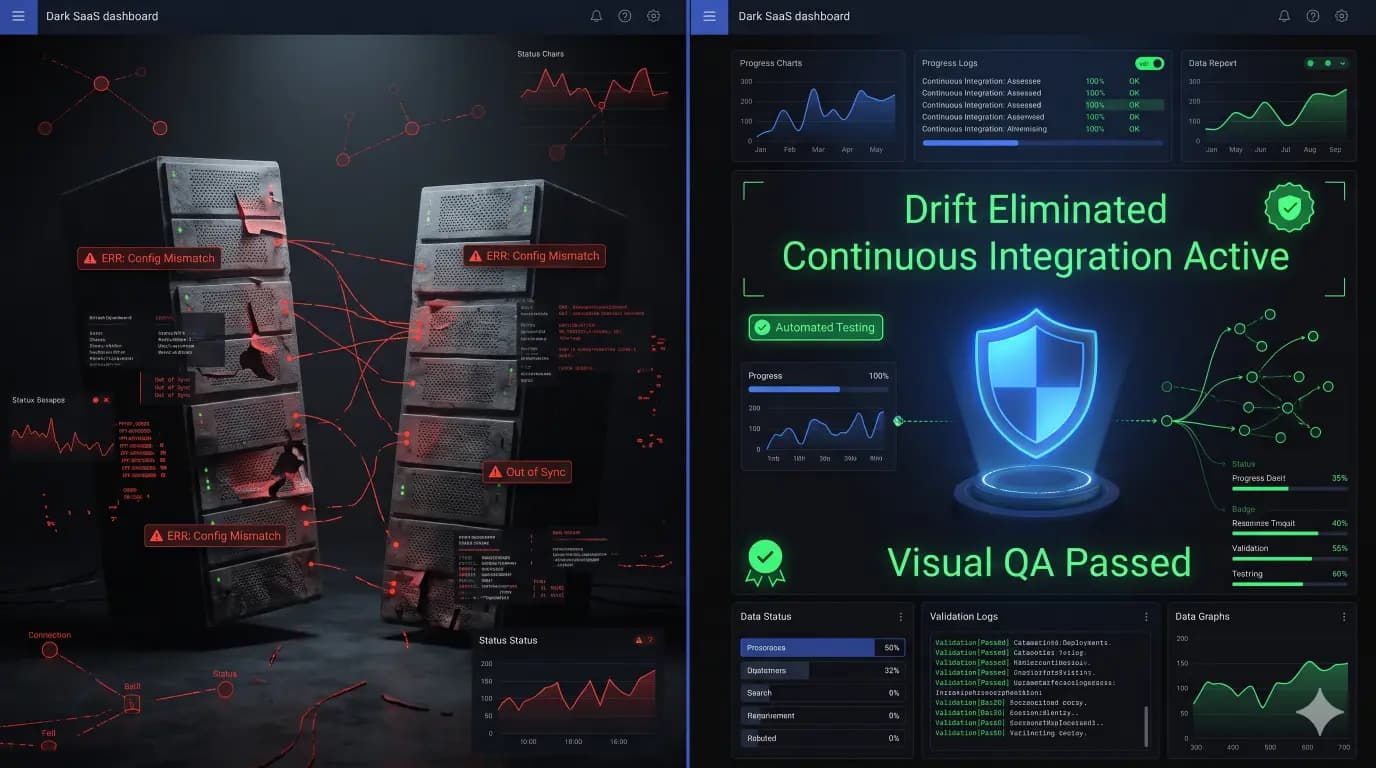
How to Automate Visual Regression Testing Across 100+ WordPress Sites Concurrently
When an agency manages 15 WordPress sites, running weekly plugin and core updates is a manageable routine. A maintenance engineer triggers updates, clicks through three or four pages on each site, glances at the homepage layout, and marks the task complete. When that portfolio reaches 50, 100, or 200+ active client domains, manual Quality Assurance […]

- Always capture a pre-update snapshot of both the database and files before updates.
- Run pixel-by-pixel visual diffing: changes above 5% indicate critical layout breaking.
- Automate rollbacks without human delays to prevent lost revenue on client stores.
- Quarantine suspect files instead of deleting so post-mortem analysis remains possible.
When an agency manages 15 WordPress sites, running weekly plugin and core updates is a manageable routine. A maintenance engineer triggers updates, clicks through three or four pages on each site, glances at the homepage layout, and marks the task complete.
When that portfolio reaches 50, 100, or 200+ active client domains, manual Quality Assurance (QA) transforms into a crippling operational bottleneck:
- The Combinatorial Explosion: 100 client sites × 5 critical viewport templates (Homepage, Pricing, Checkout, Blog Post, Contact) × 3 device viewports (Desktop, Tablet, Mobile) = 1,500 distinct visual surfaces to inspect per update cycle.
- Human Eye Fatigue: Studies in human-computer interaction reveal that human visual inspection accuracy degrades by over 60% after 20 minutes of continuous scanning. Subtle styling regressions—such as broken CSS flexbox grids, overlapping sticky headers, or dropped checkout payment buttons—slip straight past tired eyes.
- The Profit Drain: Manually verifying 100 sites consumes 25 to 40 developer hours every single week. At standard agency billing rates ($125–$175/hr), agencies burn $12,000+ monthly in unbillable maintenance overhead.
To break through this ceiling, top-tier WordPress agencies have transitioned to automated concurrent Visual Regression Testing (VRT).
This guide details the engineering architecture required to run automated pixel-diff testing across 100+ WordPress sites concurrently: from distributed headless browser clustering and dynamic content stabilization to intelligent difference thresholds and automated rollback triggers with SiteOps.
1. Deconstructing Visual Regression Testing: How Pixel Diffing Works
Visual Regression Testing captures high-resolution DOM screenshots of designated URL endpoints before and after an operational change (plugin update, PHP upgrade, theme refactor, or core release), comparing the image pair pixel-by-pixel to identify layout anomalies.
+-------------------------------------------------------------------------------+
|                       VISUAL REGRESSION TESTING PIPELINE                      |
+-------------------------------------------------------------------------------+
|  BASELINE (Pre-Update)    | Headless Chromium captures DOM state              |
|  EXECUTION (Update Engine)| Worker executes plugin/theme/core update          |
|  CANDIDATE (Post-Update)  | Headless Chromium captures identical viewport     |
|  DIFFING ENGINE           | Pixelmatch / SSIM algorithm highlights shifts     |
|  DECISION MATRIX          | Mismatch < Threshold -> Deploy; Else -> Rollback  |
+-------------------------------------------------------------------------------+
The Three Algorithmic Approaches
- Raw Pixel Diffing (
pixelmatch): Compares RGB color values across identical pixel coordinates $(x, y)$. If color delta $\Delta E > ext{threshold}$, the pixel is highlighted in high-contrast magenta. Extremely fast, but sensitive to minor anti-aliasing shifts. - Structural Similarity Index (SSIM): Measures luminance, contrast, and structural degradation rather than raw pixel color values. Closer to human visual perception; ignores imperceptible rasterization shifts while catching macro layout distortions.
- DOM Tree Mutation Analysis: Audits computed CSS styles, bounding boxes, and element node positions before evaluating raster images, instantly flagging collapsed heights or displaced CTA containers.
For a foundational breakdown of visual diffing mechanics versus manual checks, read our analysis on WordPress Visual Regression Testing: Visual Diffing vs. Manual QA.
2. The Architectural Challenge: Scaling to 100+ Concurrent Sites
Running visual regression on a single local site using a basic CLI tool is trivial. Running it across 100+ heterogeneous production and staging sites simultaneously introduces severe infrastructure bottlenecks:
+-------------------------------------------------------------------------------+
|                     THE THREE SCALING BOTTLENECK CHOKEPOINTS                  |
+-------------------------------------------------------------------------------+
|  1. MEMORY EXHAUSTION     | Headless Chromium consumes 150-300MB RAM per tab  |
|  2. HOSTING RATE LIMITS   | Blasting client origin servers triggers 429 / WAF |
|  3. ASYNC FLAKINESS       | Dynamic carousels, lazy-load images, CSS fonts    |
+-------------------------------------------------------------------------------+
Chokepoint 1: Headless Browser Resource Footprint
Each active headless browser tab (Playwright / Puppeteer Chromium) consumes between 150MB and 350MB of system memory. Launching 100 concurrent browser instances on a single virtual machine requires 32GB+ RAM and immediately causes CPU thrashing and thermal throttling.
Chokepoint 2: Origin Server DDOS & Cloudflare Rate Limiting
If your testing orchestrator sends 15 parallel headless browser requests to a client website hosted on shared hosting or a budget VPS, the origin server’s PHP-FPM pool becomes exhausted, throwing 502 Bad Gateway or 504 Gateway Timeout errors. Furthermore, edge CDNs (Cloudflare, Sucuri, Fastly) identify the headless crawler and trigger automated JavaScript challenges or IP bans.
Chokepoint 3: False Positive Volatility (“Flaky Diffs”)
Without deterministic test stabilization, automated VRT produces hundreds of false alarms:
- Lazy-loaded product images that haven’t scrolled into the viewport.
- Rotating hero banners and video slider carousels.
- Live chat widgets (Intercom, Drift, Crisp) injecting variable DOM nodes.
- Google Ads iframe banners loading dynamic advertising creatives.
- Asynchronous font rendering (Flash of Unstyled Text / FOUT).
3. The Distributed Architecture Blueprint for Enterprise Multi-Site VRT
To test 100+ WordPress sites concurrently without crashing testing nodes or triggering false alarms, agencies deploy a distributed asynchronous worker architecture:
                              +--------------------+
                              |  SiteOps Hub API   |
                              | (Job Orchestrator) |
                              +---------+----------+
                                        |
                      +-----------------+-----------------+
                      | Dispatch Batch Job via Redis Queue|
                      v                                   v
             +------------------+                +------------------+
             | Worker Pool A    |                | Worker Pool B    |
             | (Chromium Node)  |                | (Chromium Node)  |
             +--------+---------+                +--------+---------+
                      |                                   |
         +------------+------------+         +------------+------------+
         | Rate-Limited Concurrency|         | Rate-Limited Concurrency|
         | (Max 2 tabs / domain)   |         | (Max 2 tabs / domain)   |
         v                         v         v                         v
   [Client Site 1]           [Client Site 2]   [Client Site 3]   [Client Site 4]
Component 1: Centralized Job Queue & Rate Limiter
Jobs are queued in Redis (using BullMQ or Celery) with domain-level concurrency caps:
- Global Concurrency: Up to 50 parallel browser execution contexts across worker clusters.
- Per-Domain Concurrency: Strictly capped at 2 concurrent connections per domain to prevent server overload.
- Worker Isolation: Browser processes are destroyed and recycled every 10 jobs to eliminate browser memory leaks.
Component 2: The Playwright Browser Cluster
Playwright is significantly more performant and stable than legacy Puppeteer or Selenium for large-scale multi-site testing:
- Browser Contexts vs. Full Instances: Playwright allows isolated incognito
BrowserContextinstances within a single parent browser process, slashing memory consumption by 70%. - Network Routing Mocking: Network requests to third-party ad networks, tracking beacons, and analytics scripts are aborted at the browser layer to accelerate page rendering and conserve bandwidth.
4. Eliminating False Positives: The 5-Step Stabilization Script
To ensure visual regression diffs only trigger on real breakages, every test session must execute a strict pre-capture stabilization sequence:
// production-grade Playwright stabilization snippet for WordPress VRT
async function captureStabilizedScreenshot(page, url, outputPath) {
  // 1. Intercept and block non-essential dynamic external resources
  await page.route('**/*', (route) => {
    const blockedDomains = [
      'google-analytics.com',
      'googletagmanager.com',
      'connect.facebook.net',
      'intercom.io',
      'driftt.com',
      'doubleclick.net'
    ];
    const requestUrl = route.request().url();
    if (blockedDomains.some(domain => requestUrl.includes(domain))) {
      return route.abort();
    }
    route.continue();
  });

  // 2. Navigate and wait for network idle state
  await page.goto(url, { waitUntil: 'networkidle', timeout: 30000 });

  // 3. Force scroll through viewport to trigger native lazy-loaded images
  await page.evaluate(async () => {
    await new Promise((resolve) => {
      let totalHeight = 0;
      const distance = 400;
      const timer = setInterval(() => {
        const scrollHeight = document.body.scrollHeight;
        window.scrollBy(0, distance);
        totalHeight += distance;
        if (totalHeight >= scrollHeight) {
          clearInterval(timer);
          window.scrollTo(0, 0); // Reset to top
          resolve();
        }
      }, 100);
    });
  });

  // 4. Inject CSS to freeze animations, carousels, and hide dynamic overlays
  await page.addStyleTag({
    content: `
      *, *::before, *::after {
        animation-duration: 0s !important;
        animation-delay: 0s !important;
        transition-duration: 0s !important;
        transition-delay: 0s !important;
        caret-color: transparent !important;
      }
      /* Hide dynamic cookie banners, live chat popups, and random carousels */
      #intercom-container, #drift-widget, .cookie-notice, .wp-block-gallery-carousel {
        display: none !important;
      }
    `
  });

  // 5. Ensure web fonts are fully rendered
  await page.evaluate(() => document.fonts.ready);

  // Capture full-page visual baseline
  await page.screenshot({ path: outputPath, fullPage: true });
}
5. Setting Intelligent Thresholds & Automated Rollback Triggers
Raw pixel comparisons rarely return an exact 0.00% delta due to subtle subpixel text rendering variations across operating systems. Agencies must establish calibrated acceptance thresholds:
| Diff Range | Classification | System Action | Real-World Scenario |
|---|---|---|---|
| 0.00% – 0.05% | Subpixel Variance | Auto-Pass (Deploy) | Anti-aliasing shifts on system fonts, 1px rendering float differences. |
| 0.06% – 0.50% | Minor Component Shift | Soft Flag (Manual Review) | Plugin updated button padding by 2px; minor banner image compression. |
| 0.51% – 2.00% | Structural Layout Anomaly | Critical Warning | Header navigation drawer misaligned; font fallback applied; widget dropped. |
| > 2.00% | Catastrophic Failure | Automated Rollback | White screen of death (WSOD), broken CSS stylesheet, collapsed page grid. |
The 30-Second Automated Rollback Engine
When SiteOps detects a visual regression exceeding the safety threshold (or an accompanying HTTP 500 status code):
- The update engine halts immediately.
- The pre-update ephemeral database snapshot and file backup are restored via secure REST API worker endpoints.
- The agency engineering team receives an instant notification via webhook and the mobile PWA showing a side-by-side visual diff slider highlighting exactly what broke.
Read more about rollback mechanics in our technical guide on Automated WordPress Plugin Rollbacks.
6. Business Impact: The ROI of Automated Visual QA for Agencies
Automating visual testing across your agency portfolio transforms client maintenance from an unscalable operational liability into a high-margin recurring revenue stream:
| Metric | Manual Agency QA (100 Sites) | Automated Concurrent VRT (SiteOps) | Operational Impact |
|---|---|---|---|
| Execution Time | 30–40 hours per week | Under 15 minutes (fully concurrent) | 99% reduction in turnaround |
| Surface Coverage | 1–2 pages per site (sampled) | 100% of critical templates across 3 viewports | 15x broader test coverage |
| Detection Reliability | ~65% (human visual fatigue) | 99.8% (deterministic pixel math) | Eliminates post-update client complaints |
| Monthly Labor Cost | $4,500 – $6,000 / month | < $300 / month (compute infrastructure) | $50,000+ annual margin expansion |
| Retainer Margins | 45%–55% (labor heavy) | 85%–92% (automated WebOps) | Industry-leading agency profitability |
As demonstrated in our Datronix Agency Case Study, implementing automated visual testing and central management allowed a two-person engineering team to effortlessly manage and update over 150 client sites in just two hours per week.
7. Actionable Implementation Checklist for Agency Teams
Follow this checklist to deploy concurrent visual regression testing across your portfolio:
- [ ] Step 1: Map Critical Viewport URLs: Identify the top 5 high-converting templates for each client site (Homepage, Pricing, Checkout/Lead Form, Core Archive, Single Article).
- [ ] Step 2: Deploy Playwright Worker Node: Configure an offloaded worker server running headless Chromium with Redis BullMQ task scheduling.
- [ ] Step 3: Enforce Domain-Level Rate Limits: Cap concurrent requests at 2 tabs per domain to protect client hosting environments.
- [ ] Step 4: Implement CSS & Animation Freezing: Inject global CSS to disable transitions, animations, and dynamic chat widgets during capture.
- [ ] Step 5: Calibrate Mismatch Thresholds: Set an automated pass threshold of 0.05% and an automated rollback threshold of 0.50% on checkout templates.
- [ ] Step 6: Integrate Pre-Update Ephemeral Snapshots: Ensure the testing pipeline triggers an instant site snapshot immediately before executing updates.
- [ ] Step 7: Centralize Agency Fleet Alerts: Unify diff logs and approval triggers into a single command center with SiteOps.
Summary & Next Steps: Scale Your Agency Fleet with SiteOps
Manual QA is the single biggest barrier to scaling a profitable WordPress maintenance retainer model. By deploying automated, concurrent visual regression testing, modern agencies catch every broken layout before clients ever notice—protecting margins, reputations, and developer sanity.
Related Resources for Scaling Agencies:
- The ROI of Automated QA: How to Save 20+ Hours a Month on Maintenance
- How to Safely Update WordPress Plugins Across 50+ Client Sites
- Does Your WooCommerce Checkout Still Work After Plugin Updates?
- Building a Profitable WordPress Maintenance Retainer Model in 2026
Automate Your Fleet QA with SiteOps
Stop wasting dozens of hours every week on manual browser checks. Automate visual regression testing, pixel-diff verifications, and instant rollbacks across all your WordPress sites.
👉 Start your free trial of SiteOps today and test your first three client sites in under two minutes.
Frequently Asked Questions (FAQ)
What is visual regression testing in WordPress?
Visual regression testing is an automated QA workflow that captures DOM screenshots of designated URL endpoints immediately before and after updates (plugins, themes, or core). A diffing algorithm compares the two images pixel-by-pixel, immediately highlighting unexpected CSS layout shifts, overlapping headers, or missing CTA buttons.
How do you test 100+ WordPress sites without overloading client hosting?
Testing at scale requires an asynchronous, offloaded worker architecture. By utilizing a centralized Redis queue and enforcing strict per-domain concurrency limits (maximum 2 concurrent browser contexts per site), testing clusters audit hundreds of sites in parallel without spiking client server CPU or triggering edge CDN firewall rate limits.
Why do basic screenshot tools produce false positive diffs?
Standard screenshot tools capture dynamic web noise: running CSS animations, rotating carousel slides, dynamic ad network iframes, live chat popups, and unrendered web fonts. Production-grade testing frameworks stabilize the DOM by freezing animations, scrolling through lazy-loaded elements, and injecting clean styling rules prior to snapshot capture.
What difference threshold should agencies use for visual diffing?
A calibrated threshold model uses 0.00%–0.05% as an automated pass (accounting for subpixel anti-aliasing variance), 0.06%–0.50% as a soft warning for human review, and anything above 0.50% on critical checkout or lead generation pages as an immediate trigger for automated pre-update snapshot rollback.
How does automated visual QA improve WordPress agency profitability?
Manual QA across 100 sites consumes 30+ developer hours every week, creating a massive unbillable drain on agency resources. Automated visual regression reduces verification turnaround to under 15 minutes across the entire fleet, lifting agency care plan profit margins from ~50% to over 85%.
Written by SITEOPS Engineering
We build the WordPress operations platform agencies use to update, secure and monitor client sites. These guides come directly from maintenance incidents and automated workflows we operate.
Keep reading
All articles →
The Hidden Performance Tax of Outdated PHP on WooCommerce Checkouts

Why Manual Malware Scanning Is a Liability for High-Growth WordPress Agencies