SiteOps Product Update: August 2026 Release Notes
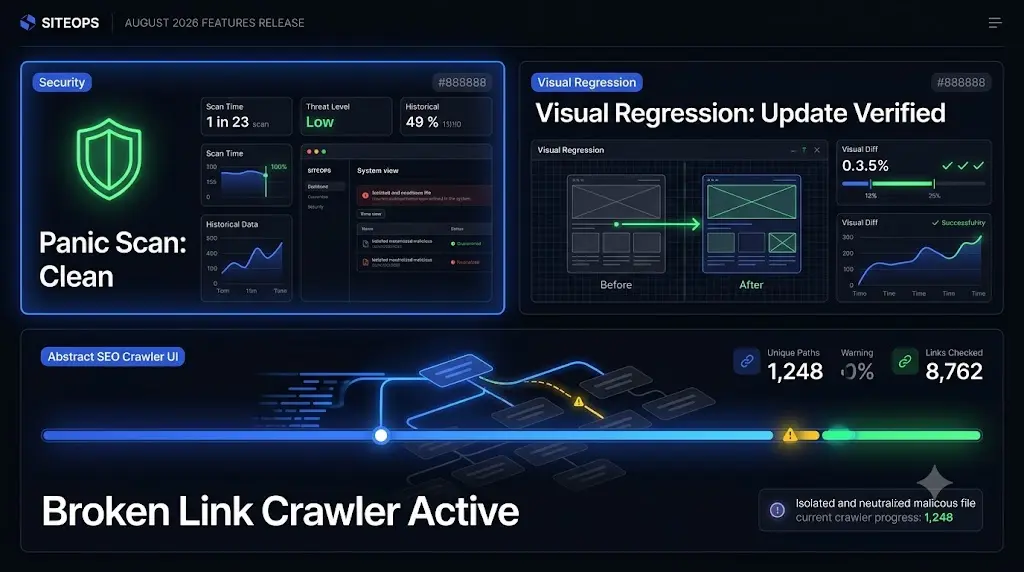
When you manage a growing portfolio of WordPress maintenance retainers, your biggest enemy is unpredictability. An unexpected plugin conflict on a Friday night or a hidden database injection can erase a month of profit margins in a matter of hours.
Our engineering focus for August 2026 was singular: eliminate the unpredictability of agency operations.
We did not just add new buttons to the dashboard. We completely overhauled how SiteOps interprets risk. Over the past month, we redesigned our core update engine to anticipate failures before they happen, introduced a powerful remote incident response suite to handle complex malware, and polished the entire platform to give your team a frictionless workspace.
Here is a breakdown of the new features available in your dashboard today and exactly how they protect your agency.
Quick Answer: What is new in the SiteOps August 2026 update?
The SiteOps August 2026 update introduces an AI-powered Smart Update engine that reads changelogs to assess risk, a remote “Panic Scan” security suite capable of quarantining files and cleaning database injections, a double-verified uptime monitor to prevent false alerts, and an automated broken link crawler to protect client SEO. We also rolled out a massive UI design overhaul featuring dark mode and a premium component library.
1. The “Update All” Button is No Longer a Liability
Bulk updating plugins across 50 client sites used to be terrifying. If an update went wrong, your team was forced into emergency triage mode. We have completely redesigned the update engine to guarantee safe WordPress updates automatically.
AI Risk Scoring Before You Update
Before SiteOps applies any code, our AI engine downloads and reads the raw developer changelogs for the pending plugins. It evaluates the text and assigns a risk score. If the AI detects a high risk of breaking changes (for example, a major database schema migration), the platform automatically halts the job and requests your manual approval before proceeding.
Headless Visual Regression Validation
We gave our platform eyes. After an update executes, SiteOps uses a headless browser to capture before-and-after screenshots of your key pages. If the visual difference is minor, the update passes. If the system detects a significant layout shift, it triggers a Vision Language Model to verify if the shift is a normal content change (like a rotating text carousel) or a fatal layout break (like unstyled HTML or a missing CSS grid).
Bulletproof Auto-Rollbacks
If the visual layout breaks, SiteOps automatically restores a targeted file snapshot and resets the database options to reactivate the exact state of plugins you had prior to the update. You never push a broken site to production.
Seamless Handling of Premium Plugins
Premium plugins that require licenses outside of the WordPress.org repository often break bulk updaters. SiteOps now identifies these plugins and generates temporary, 5-minute secure login URLs. Your developers can click a single button, instantly log into the client site, apply the premium update, and mark it resolved without ever hunting for passwords.
2. The Security Suite and Automated Panic Fixes
Traditional security plugins only look for known malware files. In 2026, hackers are hiding malicious payloads deep inside your database (like the recent ClickFix fake Cloudflare attacks) or creating hidden ghost administrators.
We built a remote incident response suite directly into the dashboard to catch and kill evasive threats.
The Deep Forensic Scanner
The new security scanner goes far beyond surface-level checks. It audits your WordPress core files against official checksums to find malicious injections. It actively recursively audits your uploads directory to flag hidden executable PHP files. Most importantly, it scans your database tables (like wp_options) for clipboard hijacking scripts, redirect loops, and hidden admin hooks.
The Remediation Workflow (Panic Fix)
When the scanner finds a threat, you are no longer forced to blindly delete files and risk breaking the website. The new Panic Fix workflow gives you three surgical options:
- Quarantine: Isolates the suspicious file in a secure, protected directory. The site keeps running safely, and you preserve the evidence for later diagnostics.
- Delete: Permanently purges the infected file from the server.
- Clean: This is vital for database injections. It uses advanced Regex to strip malicious JavaScript blocks from your database options while leaving your legitimate native theme settings perfectly intact.
To prevent false alarms from waking you up at night, we also introduced an AI Confidence Scoring Engine. It evaluates findings and automatically downgrades likely false positives (like poorly coded but legitimate theme settings) so you only focus on genuine threats.
3. Protecting SEO and Your Sleep Schedule
Maintenance is not just about updates; it is about performance and visibility. We introduced two massive upgrades to our WordPress monitoring tool suite.
Double-Verified Uptime Monitoring
There is nothing worse than receiving a “Site Down” SMS alert at 3:00 AM, only to log in and find the site is working perfectly because of a 5-second server hiccup. SiteOps now utilizes continuous background verification without heavy page loads. Furthermore, we integrated double-verification logic. The system requires two consecutive failure confirmations before alerting you, effectively eliminating false positive downtime alerts.
Automated Broken Link Crawler
Broken links ruin user experience and destroy your client’s organic search rankings. You no longer need to pay for a separate SEO crawling tool. SiteOps now automatically locates client sitemaps, crawls the pages in batched queues to protect server load, and validates all internal and external links. Any broken targets are flagged in your dashboard immediately.
4. A Premium Agency Workspace (UI/UX Overhaul)
You spend hours inside your management dashboard every week. We wanted that experience to feel fast, secure, and premium.
We completely overhauled the visual layout and design system. The August release introduces a beautiful dark mode aesthetic featuring glassmorphic card overlays, custom theme grids, and fluid micro-animations. We standardized typography and replaced browser-default symbols with a crisp, responsive icon library.
For exploring new features safely, we also rolled out an Interactive Sandbox Environment. You can test live updates, uptime monitors, and visual regression comparisons inside a mock dashboard without touching a real client site.
Finally, getting help is now frictionless. We integrated a new Help and Support portal with a direct ticket submission form tied straight to our engineering team.
Automating Your Agency Growth
When you manage multiple WordPress sites, relying on basic remote-control tools that push blind updates is an operational liability.
The August 2026 Phase 3 release represents our commitment to building an autonomous WebOps platform. By combining AI changelog analysis, visual regression testing, deep database malware remediation, and intelligent SEO crawling, SiteOps is the only platform you need to scale your maintenance retainers profitably.
Log into your SiteOps dashboard today to experience the new Panic Fix workflow and the redesigned dark mode interface.
If you have not yet migrated your portfolio away from legacy tools, you can test the entire autonomous platform completely free for 3 sites, no credit card required.
Frequently Asked Questions (August 2026 Update)
How does the AI Risk Scoring for updates work? Before running an update, the SiteOps worker downloads the developer changelog for the plugin. Our AI text model evaluates the changes and outputs a risk score from 1 to 10. If the score is 7 or higher, the system pauses the update to request your manual approval, preventing high-risk changes from executing blindly.
What happens if a visual regression test detects a broken layout? If the visual difference after an update indicates a fatal layout break, the system automatically executes a rollback. It restores your specific file snapshots and resets the database options to reactivate all plugins exactly as they were prior to the update.
How does the Panic Fix Clean feature handle database malware? Instead of deleting an entire database row and ruining your client’s website settings, the Clean function uses targeted regular expressions (Regex) to surgically remove only the malicious injected JavaScript from the option values, leaving the legitimate data completely intact.
Will the Uptime Monitor drain my client’s server resources? No. The background worker uses continuous lightweight HEAD requests to verify status codes. This checks the server response without downloading the full HTML or assets, ensuring near-zero impact on the site’s performance.
How do I access premium plugins that require manual updates? SiteOps automatically identifies plugins hosted outside of the official WordPress repository. It generates a temporary, 5-minute secure login URL. You click the link, jump straight into the client’s backend securely, perform the update, and mark it resolved in your dashboard.
What is the Quarantine feature in the security scanner? If a file is flagged as suspicious but you are not completely sure if it is malicious, you can Quarantine it. This moves the file to a secure, isolated directory outside of public routing. The site remains safe, but you preserve the file for later diagnostics instead of deleting it permanently.
Does the Broken Link Crawler impact website speed? No. The crawler parses your client’s sitemaps and processes the URLs in strictly batched queues. This throttles the requests to ensure the background task never overwhelms the client’s PHP memory or server CPU.
Are the new features available on the free plan? Free plan users can experience the new UI overhaul, basic uptime monitoring, and view vulnerability counts. Access to automated Panic Fix remediation, visual regression testing, and advanced broken link crawling requires the Starter plan or higher.
Scale Your Agency Today
Join 500+ agencies automating their WordPress maintenance. Get started with 3 sites for free. No credit card required.