What We Tell Clients When Their WooCommerce Checkout Breaks (Agency Template)
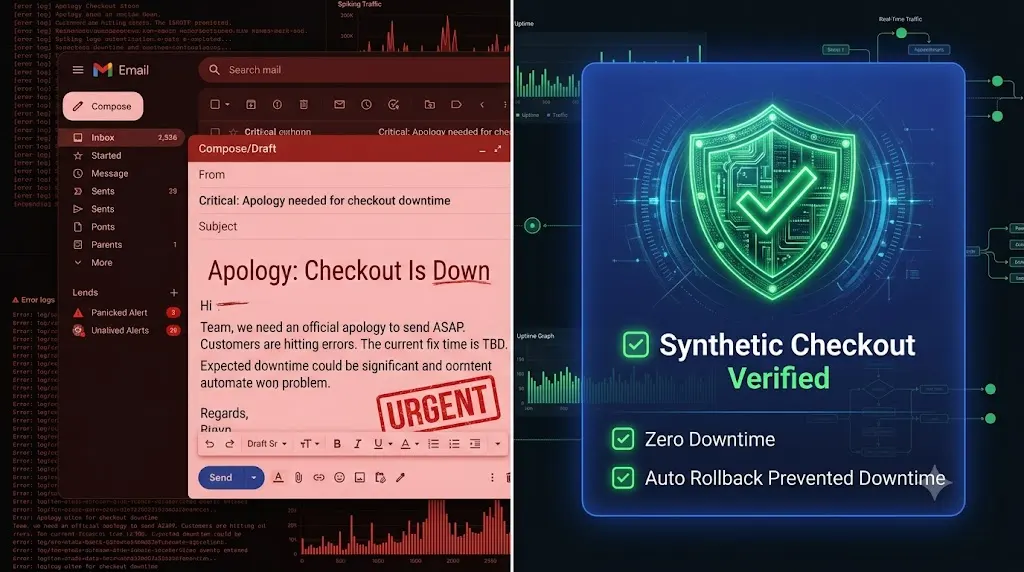
It is Wednesday morning. You open your inbox to find a message from your highest-paying e-commerce client. It is in all caps. You immediately need a woocommerce checkout broken email template to communicate the issue professionally and protect the client relationship.
“NOBODY CAN BUY ANYTHING. THE CREDIT CARD BOX IS GONE. HOW LONG HAS THIS BEEN BROKEN?”
Your heart sinks. You log into their site and realize that a routine caching plugin update you pushed on Friday afternoon completely stripped the CSS required to load the Stripe iframe. The site has been online all weekend, but the checkout has been dead.
Now comes the hardest part of agency life. You have to reply to that email.
If you send a frantic, overly technical apology, you look incompetent. If you blame the plugin developer, you look like you are avoiding responsibility. How you communicate during a revenue impacting crisis determines whether you keep the retainer or lose the client entirely.
This guide provides the exact psychological framework and the literal woocommerce checkout broken email template that top tier agencies use to de escalate the situation. More importantly, we will expose why sending this email means your agency tech stack is fundamentally broken, and how modern agencies use AI to ensure they never have to write an apology like this again.
Quick Answer: How do you explain a broken website to a client?
When explaining a broken WooCommerce checkout to a client, you must use a structured incident response email. Do not use complex technical jargon. Clearly state that the issue is resolved, briefly explain the root cause (e.g., a third party software conflict during a security patch), outline exactly what steps you took to fix it, and offer a specific preventative measure moving forward. To prevent ever sending this email, agencies must replace blind bulk updates with autonomous platforms like SiteOps that visually verify the checkout flow.
Rule 1: The Psychology of the Damage Control Email
Before you copy and paste the template, you must understand the psychology of a business owner who is actively losing money. They are operating purely on emotion and panic. Your communication must inject absolute calm and authority into the situation.
Never Send the Email Before the Fix
Do not email a client to say, “I am looking into it.” That only increases their anxiety. You must stop all billable work, enter emergency triage, fix the broken layout, and restore the checkout functionality first. The very first sentence of your email must be: “The issue is resolved and the checkout is fully operational.”
Speak in Business Impact, Not Code
The client does not care that a Javascript minification error caused a fatal DOM shift in the WooCommerce checkout fragment. They care about their money.
- Bad: “The JS deferral broke the Stripe API.”
- Good: “A recent security patch conflicted with the payment gateway, causing the credit card fields to hide. We have reverted the patch to restore payment processing.”
Own the Fix, Not the Blame
Unless you personally wrote malicious code, the break is likely due to the fragile nature of the WordPress ecosystem. You must own the remediation process without accepting massive legal liability for a third party plugin failure. You are the security guard who caught the issue, not the vandal who broke the window.
The Agency Incident Template (Copy & Paste)
Use this exact structure when communicating a checkout failure. It removes emotion, establishes the timeline, and focuses heavily on resolution.
Subject Line: Resolved: Checkout Functionality Restored on
$$Client Website Name$$
The Body Copy:
Hi
$$Client Name$$
,
I wanted to update you immediately regarding the checkout issue on the store. The issue has been completely resolved, and customers are currently able to process payments normally.
What Happened: This morning at
$$Time$$
, we identified a conflict on the checkout page. A recent mandatory security update to a core optimization plugin unexpectedly conflicted with the
$$Stripe/PayPal$$
payment gateway. This conflict temporarily prevented the credit card input fields from displaying correctly on the frontend of the site.
Remediation Actions Taken: Our team immediately entered emergency triage. We successfully rolled back the conflicting optimization plugin to its previous stable version, which instantly restored full checkout functionality. We have also placed a temporary lock on that specific plugin to ensure it does not auto update again until the developer issues a permanent compatibility patch.
We have run a successful live test transaction to verify that orders are flowing into the database and receipts are generating correctly.
Next Steps: I know how critical uptime is for your revenue. To prevent this specific conflict from occurring again, we are auditing your checkout page styling to ensure it is fully isolated from future optimization scripts.
Please let me know if you would like to jump on a quick five minute call to discuss this, or if you need any assistance matching up abandoned carts from this morning.
Best regards,
$$Your Name$$$$Agency Name$$
The Agency Reality Check: Why Are You Sending This Email?
The template above will save your client relationship. It is professional, decisive, and calming.
But if you run an agency, you need to ask yourself a very hard question: Why did you have to send an apology email in the first place?
If you pushed a bulk update on a Friday and did not realize the checkout was broken until Monday, your operational tech stack has failed you.
If you are using legacy bulk management tools (like a standard ManageWP alternative or MainWP alternative), you are executing blind updates. These tools push the code and check for an HTTP 200 server response. If the server is awake, they tell you the update was successful.
An HTTP 200 ping cannot tell you if the credit card input box disappeared. It cannot tell you if the “Place Order” button shattered on mobile devices.
If you rely on blind updates, you are mathematically guaranteed to break client sites. The hidden cost of broken WordPress updates is not just the immediate panic; it is the total destruction of your agency’s profit margins as your senior developers burn hours in unbillable triage.
Stop Apologizing. Start Automating Visual QA.
To build a highly profitable WordPress maintenance retainer, you must stop acting as a human Quality Assurance tester, and you must absolutely stop relying on clients to find your mistakes.
Top tier agencies have eliminated the apology email by moving to autonomous, AI driven platforms.
This is exactly why we engineered SiteOps. We needed a system that actually verified its own work.
Synthetic Transaction Testing
SiteOps does not just push code. When you update a WooCommerce site via SiteOps, the platform spins up a headless Chromium browser.
It executes a synthetic transaction. It automatically adds a product to the cart, navigates to the checkout page, and visually verifies that the required payment widget DOM elements (like the Stripe iframe) successfully rendered on the screen. It confirms that the customer can actually type in their credit card number.
Instant Autonomous Auto Rollbacks
If SiteOps detects a visual layout break or a missing checkout field during an update, it does not send you an email asking you to fix it.
It halts the process instantly. Within seconds, the platform triggers an autonomous auto rollback. The MySQL database and file system are restored to their exact stable pre update state.
The client never experiences the downtime. The checkout never breaks. You simply wake up to a dashboard notification explaining exactly which plugin failed the visual QA test.
Secure Your E Commerce Retainers Today
Understanding how to safely update WordPress plugins is the foundation of agency survival.
If you manage e commerce retainers using legacy tools that rely on simple server pings, you are actively deploying risk. You will eventually have to send the apology email, and you will eventually lose the client.
Stop manually testing plugins on staging servers. Stop waiting for clients to tell you their site is broken. By upgrading to an autonomous platform equipped with synthetic transaction testing, you protect your clients’ revenue and secure your agency’s reputation permanently.
SiteOps automates the entire workflow. Fill out the form and test the visual regression engine today, free for 3 sites.
Frequently Asked Questions
How do I test a WooCommerce checkout safely after updates? Never test an update directly on a live site. You must clone the site to a staging environment, apply the updates, enable your payment gateway’s Test Mode, and manually process a sandbox transaction. Alternatively, use an automated platform like SiteOps to run synthetic visual transaction tests autonomously.
Why did my WooCommerce checkout break after a routine plugin update? Checkout breakages are usually caused by outdated custom theme template overrides that no longer match the new WooCommerce core files, or by performance caching plugins that aggressively minify the JavaScript required to load third party payment gateways like Stripe.
What is a synthetic transaction in WordPress maintenance? A synthetic transaction is an automated test where a headless browser acts like a real user. It adds an item to the cart and navigates to the checkout page to visually verify that all form fields and payment widgets load correctly, ensuring the site is capable of processing orders.
Should I refund a client if their WooCommerce site goes down? This depends heavily on your Service Level Agreement (SLA). If the downtime was caused by a third party plugin failure, agencies typically do not offer refunds, as they cannot control external software. However, if the agency pushed a flawed update without testing it, offering a discount on the next month’s retainer is a common goodwill gesture.
Why did my monitoring tool say the site was up when the checkout was broken? Legacy monitoring tools only check for an HTTP 200 OK status code. This simply means your server is turned on. Your WooCommerce site could have a completely broken CSS layout or a missing payment gateway, and the basic monitoring bot will still falsely report the site as perfectly healthy.
What happens if an update breaks my WooCommerce site on SiteOps? If an update breaks the checkout layout, the SiteOps AI detects the visual variance instantly. Before the client or their customers ever see the error, the system autonomously triggers an auto rollback, restoring the database and files to their stable pre update state in seconds.
How do agencies manage multiple WooCommerce updates efficiently? Top tier agencies no longer use manual staging tests for every update because they are highly unprofitable. They use automated WordPress maintenance tools that combine bulk update capabilities with AI visual regression testing to eliminate manual QA hours.
What should I include in a WordPress maintenance contract to protect my agency? Your contract must include a Limitation of Liability clause stating that while you take all reasonable measures, you cannot guarantee 100% immunity against zero day exploits or third party plugin conflicts, protecting your agency from massive lost revenue lawsuits.
Can WordPress automatically update WooCommerce safely? Native WordPress auto updates are highly risky for e commerce sites because they execute blindly. They push the new code without visually verifying if it broke the frontend layout or the checkout flow. Safe automation requires a dedicated third party tool with visual verification.
How do you prove the value of e commerce maintenance to clients? Do not send a raw PDF listing updated plugins. Use an automated white-label WordPress maintenance reporting tool that translates technical data into an executive summary. Highlight exactly how much potential downtime was avoided by your proactive visual testing systems.
Scale Your Agency Today
Join 500+ agencies automating their WordPress maintenance. Get started with 3 sites for free. No credit card required.