The Ultimate WooCommerce Update Checklist for Agencies in 2026
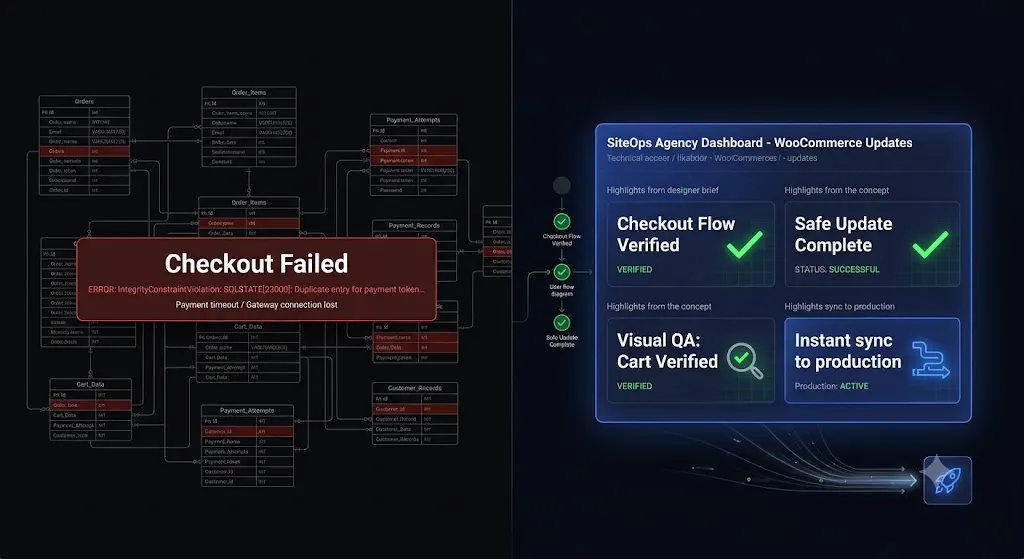
Updating a standard WordPress blog is a routine task. Updating a high volume WooCommerce store is a high wire act.
If a caching plugin breaks the layout of a brochure website, it is an inconvenience. If a major WooCommerce update alters a database schema and shatters the checkout page on a Friday night, your client is actively losing thousands of dollars an hour. As the agency managing their maintenance retainer, that revenue loss is your operational liability.
WooCommerce is notoriously fragile because it is an incredibly complex integration of payment gateways, inventory databases, customized theme templates, and third party shipping extensions. Pushing “Bulk Update All” on a WooCommerce site is effectively playing Russian Roulette with your client’s business.
To protect your clients and your agency’s reputation, you must follow a strict woocommerce update checklist. This guide provides the exact manual protocol for risk free e commerce updates, explains why database migrations fail, and reveals how top tier agencies automate their WooCommerce Quality Assurance (QA) testing using AI visual regression.
Quick Answer: How do you safely update WooCommerce?
To safely update WooCommerce, never apply major updates directly to a live production site. First, take a complete database backup. Clone the live site to a staging environment. Run the WooCommerce update on staging, ensuring you trigger the “Update WooCommerce Database” script if prompted. Manually test the critical path by adding an item to the cart and completing a test transaction. Once verified, apply the updates to production. Modern agencies automate this entire process using visual regression tools to instantly detect broken checkout layouts and auto rollback failures.
The Anatomy of a WooCommerce Failure
Before executing the checklist, you must understand exactly how WooCommerce updates break sites. E commerce failures usually stem from three specific architectural conflicts.
1. Database Schema Migrations
Minor WooCommerce updates (e.g., version 8.1.1 to 8.1.2) are usually safe bug fixes. Major updates (e.g., version 8.0 to 9.0) often restructure how data is stored in your MySQL database. If the database update script times out on the server, the database tables become misaligned. The site might still load, but critical queries like processing a payment will fail silently.
2. Outdated Theme Template Overrides
Custom WordPress themes often override default WooCommerce PHP templates (found in the woocommerce/templates folder) to create custom product pages or unique checkout designs. When WooCommerce updates its core template files, your custom theme overrides become outdated. This mismatch instantly shatters the frontend CSS layout of the product catalog or the cart page.
3. Payment Gateway and Extension Conflicts
WooCommerce relies on an ecosystem of extensions (Stripe, PayPal, ShipStation, WooCommerce Subscriptions). If you update the WooCommerce core but a specific third party extension is not yet compatible with the new version, the checkout flow will throw a fatal PHP error when a user attempts to complete a purchase.
The Strict Manual WooCommerce Update Checklist
If you manage a high revenue WooCommerce client without access to AI automation tools, you must execute the manual staging protocol. This is the only way to guarantee safe WordPress updates for e commerce.
Phase 1: Pre Flight Preparation
1. Secure a Transactional Database Backup Do not rely on yesterday’s automated backup. E commerce databases change every minute. Put the live site in Maintenance Mode temporarily if it is a major update, and trigger an immediate, manual backup of the MySQL database. Store this backup off site.
2. Audit WooCommerce System Status Navigate to WooCommerce > Status. Look for any red text. Specifically, check the “Templates” section at the bottom. If your theme has outdated template overrides, you must have a developer update the PHP files before proceeding.
3. Deploy the Staging Clone Push the live database and files to an isolated staging URL. Ensure search engines and customer emails are explicitly blocked from the staging site to prevent test receipts from going to real customers.
Phase 2: Execution on Staging
4. Update Extensions First Do not click “Update All.” First, update all third party WooCommerce extensions (payment gateways, shipping calculators). Ensure the surrounding ecosystem is ready for the core update.
5. Update WooCommerce Core Run the update for the main WooCommerce plugin.
6. Run the Database Update Script If it is a major version release, WooCommerce will display a prompt reading “WooCommerce database update required.” Click the button to run the script. Do not close the window until it completes.
7. Purge All Caches Clear the staging server cache, Redis/Memcached object caches, and edge caches (like Cloudflare) to ensure you are viewing the newly compiled code.
Phase 3: The Critical Path QA Testing
This is where you act as a human tester. You must manually verify the integrity of the Document Object Model (DOM) and the transaction flow.
8. Visual Layout Check Load the shop archive, a single product page, the cart, and the checkout page on both desktop and mobile. Check for shattered CSS grids, missing “Add to Cart” buttons, or misaligned form fields.
9. The Transaction Test Enable Sandbox or Test Mode in your payment gateway (e.g., Stripe Test Mode). Add a product to the cart, proceed to checkout, enter test credit card credentials, and submit the order.
10. Verify Order Processing Navigate to the staging WooCommerce > Orders panel. Verify the test order was logged correctly, the inventory reduced properly, and the status updated to “Processing.”
Phase 4: The Production Push
11. Replicate on Production If the staging site passes all visual and transactional tests, you can safely apply the exact sequence of updates to the live production site. (Note: Never push a staging database back to a live WooCommerce site, as you will overwrite and lose any real customer orders placed while you were testing).
The Agency Bottleneck: Why Manual Testing Kills Profitability
The manual WooCommerce staging protocol is safe. But if you run an agency, it is an operational nightmare.
If you want to build a profitable WordPress maintenance retainer, you must strictly control your overhead. Let us run the math on manual e commerce testing.
If you charge $300 a month for an e commerce maintenance retainer:
- Cloning to staging and reviewing system status: 15 minutes.
- Executing incremental updates and database scripts: 10 minutes.
- Manual visual QA and Sandbox transaction testing: 20 minutes.
- Replicating updates on production: 10 minutes.
That is nearly an hour of highly focused, unbillable labor per client, per week. If you manage 20 WooCommerce sites, your senior developers are spending 20 hours a week acting as human click testers.
The hidden cost of broken WordPress updates is not just the potential downtime; it is the massive amount of unbillable labor required to prevent it. You cannot scale an agency profitably if every client requires rigorous human verification.
The Modern Standard: Automating WooCommerce QA
To scale an e commerce maintenance portfolio, you must replace human QA testers with autonomous AI.
Top tier agencies have moved beyond manual staging environments. They automate WordPress maintenance for multiple sites by shifting to intelligent platforms that perform visual regression testing natively.
Visual Regression Testing for E Commerce
The only way to guarantee layout safety without human intervention is visual regression testing. This treats the website exactly like a human customer would, but with pixel perfect machine accuracy.
- The Baseline Snapshot: Before any update occurs, the system spins up a headless browser. It visits the live production site and takes a pixel perfect snapshot of the critical path (Shop, Product Page, Cart, Checkout).
- The Execution: It applies the WooCommerce updates autonomously.
- Cache Purge: It automatically clears the server caching layers to ensure it is viewing the live code.
- The Comparison: It takes a second set of screenshots.
- AI Variance Analysis: Artificial intelligence overlays the images. It easily detects a fatal layout break, such as a missing “Proceed to Checkout” button or a shattered CSS payment form.
Instant Autonomous Auto Rollbacks
Visual regression is powerful, but detecting a broken checkout does not save the client’s revenue if you still have to manually log in via FTP to fix it.
True automation requires active remediation. When a modern WordPress maintenance tool detects a layout break during a WooCommerce update, it instantly halts the process. Within seconds, it queries your backup vault and triggers an autonomous auto rollback.
The database and files are restored to their exact pre update state before the client or their customers ever see the error.
Automating E Commerce Maintenance with SiteOps
When you build a business on WordPress maintenance retainers, your management software dictates your profit margin and your operational liability.
If you rely on legacy bulk update tools (like a standard ManageWP alternative or MainWP alternative), pushing updates blindly to WooCommerce is actively deploying risk. Legacy tools use basic HTTP 200 server checks. An HTTP 200 code only means the server is online; it does not verify if your checkout page actually works.
SiteOps fundamentally redesigns the agency workflow by introducing an autonomous AI operational layer.
When you trigger a bulk update across your e commerce portfolio via SiteOps, you stop acting as a manual QA tester. The platform executes the visual regression testing, acts as the human eyes, and autonomously reverts any update that causes visual variance on the frontend.
By pairing this automated visual safety with native 5 minute WordPress uptime monitoring and proactive 4 level deep WordPress security monitoring, SiteOps handles the heavy lifting natively. It then synthesizes this data into AI generated executive summaries, creating the perfect white-label WordPress maintenance reports to prove your value to your clients.
Stop letting manual staging tests bottleneck your agency growth. You can scale your recurring revenue infinitely when your software handles the verification work for you.
Test the visual regression engine today. SiteOps is free for 3 sites, no credit card required.
Frequently Asked Questions
How do I safely update WooCommerce? Never update WooCommerce directly on a live site. Clone the site to a staging environment, run the core plugin update, execute any required database update scripts, and manually process a test transaction to verify the checkout flow. Alternatively, use an AI visual regression tool to automate this verification.
Why does updating WooCommerce break my site? WooCommerce updates can break sites due to database schema changes, conflicts with third party payment gateway extensions, or outdated custom theme template overrides that no longer match the new WooCommerce core files.
Do I need to backup the database before updating WooCommerce? Absolutely. You must take a fresh, manual database backup immediately before updating. E commerce databases change constantly with new orders, so relying on a backup from 24 hours ago will result in lost customer data if you have to roll back.
What does “WooCommerce database update required” mean? Major WooCommerce updates often change how data is stored. This prompt means you need to run a background script that migrates your existing products and orders to the new database structure. Always run this script immediately after updating the plugin.
How do agencies manage WooCommerce updates efficiently? Top tier agencies no longer use manual staging tests for every update because they are unprofitable. They use automated platforms like SiteOps that utilize AI visual regression testing to detect layout breaks and execute instant auto rollbacks.
What is visual regression testing in WordPress? Visual regression testing uses a headless browser to take a screenshot of your site before an update, and another screenshot immediately after. AI compares the images pixel by pixel to automatically detect visual breaks, missing checkout buttons, or layout shifts.
Why did an HTTP 200 check miss my broken WooCommerce checkout? An HTTP 200 status only means your client’s server responded to a request. A WooCommerce site could have a completely shattered CSS layout, a missing payment gateway, or a broken lead form and still return a 200 OK status to a basic legacy ping bot.
Can WordPress automatically update WooCommerce safely? Native WordPress auto updates are highly risky for e commerce sites because they execute blindly. They push the new code without verifying if it broke the frontend layout or the checkout flow. Safe automation requires a dedicated third party tool with visual verification.
What happens if a WooCommerce update breaks my site on SiteOps? If an update breaks the site, the SiteOps AI detects the visual layout break during the update process. Before the client or their customers ever see the error, the system autonomously triggers an auto rollback, restoring the site to its stable pre update state in seconds.
How do you prove the value of e commerce maintenance to clients? Do not just send a raw PDF listing updated plugins. Use an automated reporting tool that pulls data directly from your management dashboard. Modern AI tools can translate technical data into clear executive summaries that prove you are actively protecting their revenue stream.
The Bottom Line
Pushing WooCommerce updates blindly to a live production environment is an operational risk that modern agencies cannot afford to take. A broken checkout page translates directly to lost client revenue and shattered agency trust.
If you rely on legacy bulk update tools, you are forced to spend hours performing unbillable manual Quality Assurance tests on staging servers just to guarantee safety.
By implementing AI WordPress maintenance platforms that utilize automated visual regression testing and instant auto rollbacks, you guarantee the visual integrity of every e commerce update. You protect your clients’ revenue, secure your agency’s reputation, and radically preserve your profit margins.
Stop manually testing plugins. SiteOps automates the entire workflow.
Scale Your Agency Today
Join 500+ agencies automating their WordPress maintenance. Get started with 3 sites for free. No credit card required.