WordPress Sites Are Getting Hacked in Under 4 Minutes in 2026. Here is the Attack.
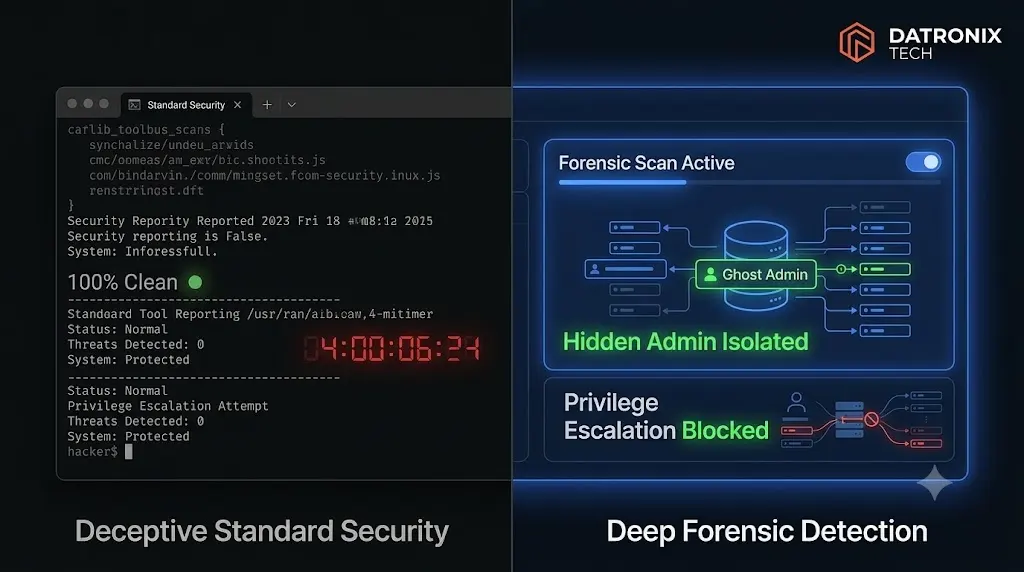
It is 2:00 AM on a Tuesday. An automated botnet identifies an outdated plugin on your client’s WooCommerce store. Four minutes later, the site is completely compromised. The attacker has full administrative control, established a deep backdoor, and successfully deployed hidden wordpress malware to cover their tracks.
You wake up, log into the WordPress dashboard, and everything looks perfectly normal. Your standard security plugin runs a scan and gives you a bright green checkmark indicating the site is clean. You have absolutely no idea that an invisible wordpress admin account is actively monitoring your client’s transaction data.
If you manage a portfolio of WordPress sites, the most terrifying question you can ask yourself today is: Is my client’s site already compromised right now?
The 2026 threat landscape has evolved beyond defaced homepages and obvious spam redirects. Modern cybercrime rings prioritize stealth and persistence. A massive, active campaign known as the stopandprotect botnet has successfully infected over 6,000 WordPress sites globally by deploying hidden payloads that specifically evade popular security tools like Wordfence and Patchstack.
We caught this exact attack sequence live on a client site last week. This guide breaks down the precise 4 minute timeline of the breach, explains how attackers use Must Use plugins to create invisible administrators, and reveals why a specialized wordpress malware scanner for agencies is required to hunt down threats that standard scanners miss.
Quick Answer: What is hidden WordPress malware?
Hidden WordPress malware is malicious code designed specifically to evade detection by standard security plugins. Attackers inject this code into the raw database or Must Use (mu-plugins) directory to create invisible administrator accounts (Ghost Admins). This malware intercepts core functions to hide its own existence, ensuring the attacker maintains a persistent backdoor even if the site owner runs a basic security cleanup.
The 4 Minute Attack Sequence: From Scan to Ghost Admin
Modern botnets do not operate on human time. They are highly optimized scripts executing predefined payloads across thousands of servers simultaneously. The stopandprotect botnet campaign is devastatingly efficient, moving from initial discovery to total, invisible compromise in under 240 seconds.
Here is the exact timeline of the attack we captured on our forensic monitors.
Minute 1: The Automated Discovery Scan
The attack begins with reconnaissance. A distributed network of infected IP addresses continuously scans the internet for WordPress installations. The botnet uses basic HTTP requests to identify the readme.txt files of active plugins, checking the version numbers against known Common Vulnerabilities and Exposures (CVE) databases.
In our live incident, the botnet identified a deprecated form builder plugin that lacked a critical security patch.
Minute 2: The Initial Payload Exploitation
Once the vulnerability is confirmed, the botnet executes the exploit. It bypasses the standard authentication protocols and injects a tiny, heavily obfuscated PHP script directly into the wp-content/uploads directory. This initial script acts as a dropper, opening a temporary communication channel to an external Command and Control (C2) server.
Minute 3: Establishing the Invisible Backdoor
This is where the attack becomes highly sophisticated. The dropper downloads the primary malware payload. The attacker does not want to rely on the initial vulnerable plugin for access, because the agency might update that plugin eventually. They need a permanent backdoor.
The script executes a direct SQL command to insert a new user into the wp_users database table, granting this user full administrator capabilities in the wp_usermeta table.
Minute 4: Hiding the Tracks (The Ghost Admin)
If an agency owner logs in and sees an administrator named system_backup_user that they did not create, they will delete it immediately. The botnet must make the user invisible.
The hidden wordpress malware creates a new PHP file inside the wp-content/mu-plugins/ (Must Use plugins) directory. This script hooks into the WordPress API. When the site owner navigates to the Users page, the malicious script intercepts the database query, explicitly filtering out the attacker’s user ID. The dashboard loads, displaying only the legitimate administrators. The compromise is now completely invisible, and the attack sequence is finished.
The Anatomy of an Invisible WordPress Admin
To truly understand how this hidden wordpress malware survives, you must understand the environment it exploits. Standard security protocols assume the WordPress core is telling the truth. Ghost Admins survive because they actively lie to the core.
Hooking the pre_user_query Filter
When you click on “All Users” in your WordPress admin panel, the software runs a specific SQL query to retrieve the list of accounts. WordPress provides a developer filter called pre_user_query (documented in the official WordPress Plugin API) which allows code to modify that query before it actually hits the database.
The attacker uses this exact filter for malicious purposes. The code injected into the mu-plugin directory looks for the specific user ID assigned to the attacker (for example, User ID 42). It alters the query to say: Fetch all users, except User ID 42.
The WordPress dashboard accurately renders the results of the modified query. You see your own account, your client’s account, and nothing else.
Fixing the User Count Illusion
A sharp developer might notice a discrepancy. If you only see two users in the list, but the bracketed number at the top of the screen says “Administrator (3)”, you know something is wrong.
The stopandprotect botnet malware anticipates this. It deploys a secondary hook targeting the views_users filter. This script recalculates the HTML output of the counter, artificially subtracting one from the total. The numbers align perfectly, completing the illusion of an invisible wordpress admin.
Forensic Reality Check: If an attacker controls the environment your security plugin lives inside, they control what your security plugin sees. You cannot trust a compromised dashboard to report the truth.
Why Standard Security Plugins Miss Hidden WordPress Malware
Agencies pay for premium licenses of standard security tools assuming they provide absolute protection. When we inform an agency that their site is actively harboring a backdoor, their first response is always: “But my scanner says the site is 100% clean.”
Here are the three architectural reasons why standard security plugins fail to detect this specific hidden wordpress malware campaign.
1. They Rely on the WordPress API
Most security plugins are simply standard WordPress plugins. They load within the same execution sequence as every other plugin on the site.
When a standard scanner runs an internal audit of your administrator accounts, it uses the native WordPress function get_users(). Because the attacker has already hooked into the pre_user_query filter via their mu-plugin, the malware intercepts the security scanner’s request. WordPress hands the scanner a manipulated list that omits the hacker. The security plugin reports the site is clean because the compromised ecosystem lied to it.
2. The Must Use (MU) Plugin Priority
Files placed in the wp-content/mu-plugins/ directory execute automatically before standard plugins load. Furthermore, MU plugins do not appear in the standard WordPress plugins list, and they cannot be deactivated from the dashboard interface.
By placing their hiding scripts inside an MU plugin, the attacker ensures their code achieves absolute operational priority. The malware is already running, actively intercepting queries and hiding its tracks, before your standard security plugin even boots up to begin its scan.
3. File Signature Reliance
A typical security plugin relies heavily on file signature scanning. They look for known strings of malicious code inside standard plugin directories. Modern botnets use aggressive obfuscation, constantly rotating their variable names and encoding their payloads using base64 and gzinflate. This allows them to bypass traditional signature blacklists effortlessly.
The Endless Loop: Why Basic WordPress Backdoor Removal Fails
The most frustrating aspect of this hidden wordpress malware is its resilience. If you happen to discover a suspicious file in your wp-content/plugins directory and delete it via FTP, you might think you solved the problem.
Twenty four hours later, the file is back.
This happens because you treated a symptom, not the source. The attacker established deep database persistence. They stored a heavily obfuscated JavaScript payload as a serialized string inside the wp_options database table. A tiny, seemingly innocent loader script hidden in your active theme’s functions.php file pulls that payload from the database and executes it on every page load.
If you delete the visible malware file, the hidden database script simply redownloads and reinstalls it the next time a visitor loads the homepage. This is why superficial wordpress backdoor removal attempts always fail against professional botnets. Effective wordpress backdoor removal requires cleaning the raw database tables (often requiring external tools like phpMyAdmin) directly.
Comparison: Standard Scanners vs Manual Forensics vs SiteOps
To protect your agency’s client retainers, you must evaluate how your current tech stack handles deep persistence malware.
| Feature / Method | Standard Security Plugins | Manual Forensics | SiteOps Scanner |
|---|---|---|---|
| Ghost Admin Detection | Misses hidden users | Requires raw SQL queries | Bypasses API to read raw DB |
| Execution Environment | Runs inside compromised WP | External terminal access | External Cloud API analysis |
| Database Payload Sweeps | Surface level checks only | Hours of Regex searching | Deep automated Regex sweeps |
| Remediation Speed | Often fails on MU plugins | Extremely slow (Unbillable) | 1-Click Autonomous Cleanup |
How SiteOps Operates as a WordPress Malware Scanner for Agencies
We realized that relying on tools that operate inside the WordPress illusion was a massive liability. To truly protect the agencies that use our platform, we had to engineer a wordpress malware scanner for agencies that operates from the outside looking in.
SiteOps acts as a forensic security analyst. It does not rely entirely on the WordPress core to conduct its audits. Here is exactly how the SiteOps engine catches the stopandprotect botnet when other tools fail.
Bypassing the WordPress Illusion
When SiteOps executes a forensic scan on a connected client site, it reads the raw environment. When checking for administrator accounts, the SiteOps worker bypasses the easily manipulated get_users() function. It queries the database options directly.
It calculates exactly how many rows exist in the wp_users table with administrator capabilities. It then compares that raw database truth against what the WordPress API is reporting. If SiteOps sees four admins in the raw database but the WordPress API only reports three, the scanner instantly flags a CRITICAL Ghost Admin anomaly. It catches the lie automatically, detecting the invisible wordpress admin.
The 4 Level Deep Scanning Engine
Catching the hidden user is only the detection phase. SiteOps executes a deep forensic scan that hunts for the persistence mechanisms a traditional scanner completely misses.
- Core Checksum Verification: Instead of just checking if a plugin is outdated, SiteOps compares the cryptographic hashes of every core file on your server against the official WordPress.org checksum API records. If a hacker injects code into
wp-load.php, the hash changes, and the platform flags it instantly. - Raw Database Auditing: The scanner actively hunts inside the
wp_optionstable using advanced Regex parameters to locate serialized clipboard hijacking scripts and obfuscated payloads. - Directory Auditing: It recursively scans the
wp-content/uploads/andmu-pluginsfolders, flagging any executable PHP files hiding among your images or executing before your theme loads.
1-Click Forensic Remediation
When SiteOps finds the Ghost Admin and the accompanying malicious MU plugin, you do not have to open FileZilla or phpMyAdmin to execute complex wordpress backdoor removal.
From your centralized SiteOps dashboard, you click a single button. The engine reaches into the specific client site, safely deletes the malicious user directly from the raw database table, drops the persistent MU plugin from the file system, and runs a secondary verification scan to ensure the environment is completely sterilized.
A complex, multi hour forensic cleanup is reduced to a single click, completely redefining how agencies handle white-label WordPress maintenance.
Scan Your Sites Today (Before Your Clients Notice)
Your hosting provider does not have to be your security provider. You do not need to migrate your clients to expensive, specialized managed hosting platforms just to get access to an advanced wordpress malware scanner for agencies.
SiteOps is a centralized WebOps command center that connects to your sites wherever they currently live. You deploy the lightweight worker plugin, and your agency instantly gains access to raw database forensic scanning, AI visual regression testing for safe WordPress updates, and 5 minute WordPress uptime monitoring.
Think your client sites are clean because your basic security dashboard says so? You cannot afford to guess. The stopandprotect botnet is actively seeking vulnerable targets right now.
Scan your sites and find out what is actually hiding in your database.
Connect your first 3 sites to SiteOps completely free. It takes 60 seconds to deploy the worker and initiate a raw forensic scan.
Scale Your Agency Today
Join 500+ agencies automating their WordPress maintenance. Get started with 3 sites for free. No credit card required.