How to Automate WooCommerce Checkout Testing After Every WordPress Update
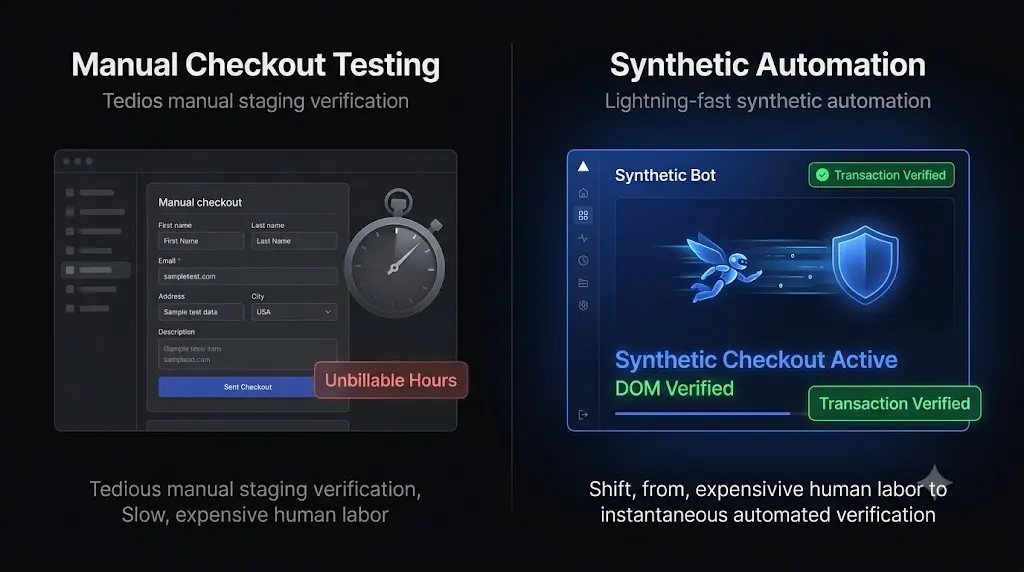
If you want to build a truly profitable WordPress maintenance retainer, you cannot afford to have your senior developers acting as human click testers. You must learn how to automate woocommerce checkout testing completely.
You have a portfolio of 25 highly lucrative WooCommerce clients. It is Friday afternoon, and a critical vulnerability patch was just released for a widely used payment gateway plugin.
You push the update to your staging environments. Now, the real work begins.
For the next two hours, your lead developer must manually log into 25 staging sites. They must navigate to a product, add it to the cart, proceed to the checkout page, type in a sandbox test credit card number, and verify that the payment gateway processes the order correctly. Once verified, they must replicate the update on the live production servers.
This is the grim reality of e-commerce maintenance. Executing a code update takes seconds. Verifying that the update did not destroy the business logic takes hours.
This guide breaks down exactly why WooCommerce checkouts are so fragile, why legacy ping monitors fail to catch checkout breaks, and how top tier agencies use autonomous synthetic transaction bots to verify e-commerce functionality at machine speed.
Quick Answer: How do you automate WooCommerce checkout testing?
To automate WooCommerce checkout testing, agencies use advanced WebOps platforms like SiteOps that deploy synthetic transaction bots. During a WordPress update, a headless Chromium browser autonomously visits the website, adds a product to the cart, and navigates to the checkout page. The bot then visually verifies that the required Document Object Model (DOM) elements (such as the Stripe or PayPal credit card inputs) have rendered correctly. If the checkout flow is broken, the system instantly triggers an autonomous auto rollback.
The E-Commerce Bottleneck: Execution vs Verification
When you manage a standard brochure website, pushing a plugin update is a relatively low risk operation. If an image slider breaks, the client’s business survives.
WooCommerce is an entirely different ecosystem. It is a highly sensitive, interconnected web of database schemas, custom theme template overrides, shipping API calls, and third party payment gateways. A single line of conflicting JavaScript can hide the credit card input fields, rendering the site completely unable to process payments.
The bottleneck for agencies is not updating the code. The bottleneck is the verification of the business logic.
The Unbillable Cost of Manual QA
To guarantee safe WordPress updates without specialized automation, you must use manual Quality Assurance (QA).
If you manage multiple WordPress sites, let us look at the actual cost of this process. Manually verifying a checkout flow takes approximately 5 to 10 minutes per site. If you have 30 WooCommerce clients, your team is burning up to 5 hours of highly focused, unbillable labor every single week.
At a standard agency billing rate of $150 an hour, you are setting $750 on fire every Friday just to verify that a routine update did not break your clients’ websites. You are paying a massive “agency tax” simply because you lack the correct automation tools.
The Legacy Tool Blindspot (The HTTP 200 Trap)
Many agencies try to bypass manual testing by using legacy dashboards (like a standard ManageWP alternative). They click “Update All” and trust the dashboard when it says the update was successful.
This is a catastrophic operational liability.
Legacy tools rely on basic HTTP ping monitors. After pushing the code, they ask the server if it is awake. If the server replies with an HTTP 200 OK status code, the tool reports a success.
An HTTP 200 code cannot see if a CSS grid shattered. It cannot verify if an aggressive caching update deferred the JavaScript required to load a Stripe iframe. Your client’s checkout page can be a blank white box, and your legacy WordPress monitoring tool will still give you a bright green checkmark.
The Solution: Synthetic Transaction Testing
To eliminate the manual QA bottleneck and protect your agency from the liability of blind updates, you must deploy a system that interacts with the website exactly like a real human buyer.
This is why we built Synthetic Transaction Testing directly into the SiteOps platform. SiteOps acts as your autonomous WebOps engineer. It does not just ping the server; it visually and functionally verifies the e-commerce transaction path.
Here is exactly how SiteOps automates your WooCommerce checkout testing.
Step 1: The Headless Bot Deployment
When you initiate a plugin update via the SiteOps dashboard, the platform does not push the code blindly. First, it spins up a headless Chromium browser instance in the cloud. This browser acts as an automated, robotic shopper.
Step 2: Navigating the Critical Path
The synthetic bot autonomously visits the live production site. It does not just look at the homepage. It navigates to the shop archive, selects a product, and adds that item to the shopping cart. It then proceeds to the designated checkout URL, mirroring the exact path a paying customer would take.
Step 3: Visual DOM Verification
Once on the checkout page, the bot analyzes the Document Object Model (DOM). It is programmed to look for the specific, critical elements required to process a transaction.
It visually verifies that the payment gateway widgets (like the specific Stripe or PayPal input fields) have successfully rendered on the screen. It mathematically proves that a human customer can actually click into the box and type their credit card number.
Step 4: The Update Execution and Re-Verification
After the baseline is verified, SiteOps safely applies the requested WordPress plugin updates and autonomously flushes the server caching layers.
The headless bot returns to the site, repeats the exact same transaction path, and verifies the DOM a second time.
Step 5: Instant Autonomous Auto Rollback
If the update caused a conflict, perhaps a CSS shift hid the “Place Order” button or a JavaScript error prevented the payment iframe from loading, the bot detects the failure instantly.
SiteOps immediately halts the update process. Within seconds, it triggers an autonomous auto rollback. The MySQL database and the file system are restored to their exact stable pre update state.
The client never experiences a broken checkout. Their ad spend is never wasted on a dead funnel. You simply wake up to a dashboard notification explaining exactly which plugin failed the synthetic transaction test, allowing you to investigate it safely on a staging environment.
Beyond the Update: Continuous Health Monitoring
E-commerce sites are highly volatile. A checkout can break even when you are not actively updating plugins. An expired API key, a sudden database corruption, or a hosting misconfiguration can take a store offline at any moment.
To provide true white-label WordPress maintenance, you must monitor the site continuously.
When comparing the best WordPress monitoring tools in 2026, ensure your platform offers native, high frequency checks. SiteOps integrates 5 minute interval WordPress uptime monitoring directly alongside its visual testing features. If a server crashes due to a massive traffic spike, you are alerted instantly and provided with 1 click secure admin access to begin triage.
Furthermore, SiteOps executes proactive WordPress security monitoring daily. It cross references your client’s active plugins against global CVE vulnerability databases, alerting you to zero day threats before hackers can exploit the store’s customer data.
Scale Your E-Commerce Retainers Profitably
If you are currently evaluating a MainWP alternative or looking to move away from legacy dashboards, your primary focus must be on verification technology.
Automating the execution of a plugin update is easy. Automating the verification of a WooCommerce checkout is hard.
If you use tools that cannot verify the frontend visual layout, you are forced to spend unbillable hours performing manual staging tests. This manual labor places a hard mathematical ceiling on your agency’s growth and drastically reduces your profit margins.
By upgrading to an autonomous WebOps platform equipped with synthetic transaction testing, you completely eliminate the manual QA bottleneck. You can confidently acquire new e-commerce clients knowing that your software will protect their revenue autonomously.
Stop acting as a human click tester. Review the ultimate WordPress maintenance checklist and upgrade your operational stack.
You can automate WordPress maintenance for multiple sites securely today.
Let the AI handle the verification. Test the synthetic transaction engine for free on 3 sites with SiteOps.
Frequently Asked Questions
How do I automate WooCommerce checkout testing? You must use an advanced maintenance platform like SiteOps that utilizes synthetic transaction bots. These headless browsers autonomously navigate your site, add items to the cart, and visually verify that the checkout form and payment gateway render correctly before and after any plugin updates.
Why does updating WooCommerce break my checkout? WooCommerce relies on a fragile integration of payment gateways, shipping APIs, and custom theme overrides. A plugin update can introduce a JavaScript minification error that hides payment fields, or a database schema change can fail, causing the checkout process to break silently.
What is a synthetic transaction in WordPress testing? A synthetic transaction is an automated process where a cloud based bot acts like a real user. It performs specific paths, such as filling out a contact form or completing a checkout sequence, to mathematically prove that the business logic of the website is functioning correctly.
Why did my monitoring tool miss a broken WooCommerce checkout? Legacy monitoring tools only check for an HTTP 200 OK status code. This simply means your server is turned on. Your WooCommerce site could have a completely shattered CSS layout or a missing payment gateway, and the basic monitoring bot will still falsely report the site as healthy.
Can WordPress automatically update WooCommerce safely? Native WordPress auto updates are incredibly risky for e-commerce sites because they execute blindly. They push the new code without verifying if it broke the frontend layout or the checkout flow. Safe automation requires a dedicated third party tool with visual verification.
What happens if an update breaks a client’s site on SiteOps? If an update breaks the checkout layout, the SiteOps AI detects the visual variance during the update process. Before the client or their customers ever see the error, the system autonomously triggers an auto rollback, restoring the site to its stable pre update state in seconds.
How much time does automated testing save agencies? Agencies manually managing 30 WooCommerce sites often spend 5 to 10 hours a week purely on staging tests and update verification. True automation platforms reduce this unbillable labor to near zero by autonomously verifying layouts and handling rollbacks.
How do I safely test WooCommerce updates manually? If you do not have automation, you must clone the site to a staging environment, run the updates, enable your payment gateway’s Test Mode, and manually process a sandbox transaction. You must then log into the dashboard to verify the database recorded the order correctly.
What are CVE vulnerabilities in WooCommerce? CVE stands for Common Vulnerabilities and Exposures. Over 90% of WordPress hacks originate from outdated third party plugins. A modern maintenance platform continuously cross references your active plugins against CVE databases to alert you to known exploits before hackers strike.
How do you prove the value of e-commerce maintenance to clients? Do not send a raw PDF listing updated plugins. Use an automated reporting tool that translates technical data into a clear executive summary. The report should highlight exactly how much downtime was avoided and how many potential layout breaks were prevented by your proactive systems.
Scale Your Agency Today
Join 500+ agencies automating their WordPress maintenance. Get started with 3 sites for free. No credit card required.