The Ultimate WordPress Maintenance Contract Template (Agency Guide)
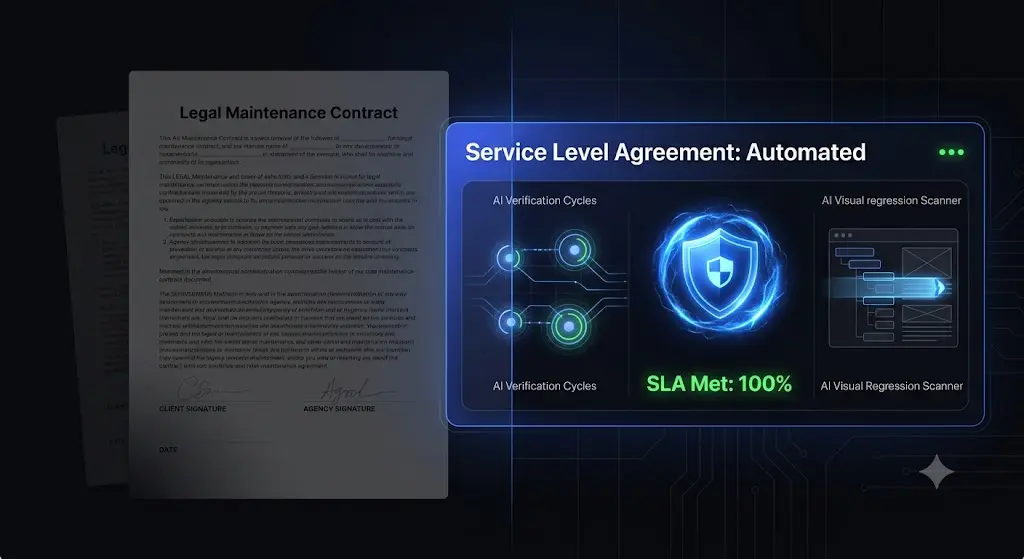
Selling a $500-a-month maintenance retainer is a massive win for your agency’s Monthly Recurring Revenue (MRR). But if that client emails you on a Saturday morning demanding three hours of custom development work, or threatens to sue you because their WooCommerce checkout broke during a plugin update, that retainer suddenly becomes a massive liability.
A wordpress maintenance contract template is not just a formality; it is the operational boundary that protects your agency’s profit margins.
Many agencies make the critical mistake of using vague agreements. If you do not explicitly define what happens when a site breaks, who is responsible for third-party plugin failures, and exactly how you execute updates, you will eventually perform unbillable labor just to keep the client happy.
This guide breaks down exactly what you must include in a bulletproof wordpress maintenance agreement, how to structure your Service Level Agreement (SLA), and how modern agencies use AI automation to flawlessly deliver on the promises made in their contracts.
(Disclaimer: We are software engineers, not lawyers. The templates and advice below should be reviewed by your legal counsel to ensure compliance with your local jurisdiction.)
Quick Answer: What should a WordPress maintenance contract include?
A bulletproof WordPress maintenance contract must explicitly define the scope of work (e.g., weekly plugin updates, daily backups, uptime monitoring) and, more importantly, what is excluded (e.g., custom development, content creation, fixing pre-existing bugs). It must include a Service Level Agreement (SLA) defining response times, a clear limitation of liability clause protecting the agency from third-party hack damages, and terms for payment, cancellation, and auto-renewal.
Part 1: The Core Architecture of a Maintenance Agreement
A strong wordpress care plan agreement is divided into five distinct sections. Each section serves a specific purpose in managing client expectations and protecting your agency from scope creep.
Section 1: The Explicit Scope of Services (What We Do)
Never use vague terms like “keep the website running.” You must list the exact technical deliverables.
- Core and Plugin Updates: Specify the frequency (e.g., “Weekly safe updates of WordPress Core, Themes, and Plugins”).
- Backups: Detail the frequency and retention policy (e.g., “Daily off-site cloud backups with a 30-day retention period”).
- Security: Define your security posture (e.g., “Daily malware scanning and active CVE vulnerability cross-referencing”).
- Monitoring: State the interval of uptime checks (e.g., “5-minute interval uptime and performance monitoring”).
- Reporting: Guarantee communication (e.g., “Delivery of a monthly executive summary detailing maintenance actions”).
Section 2: The Explicit Exclusions (What We DO NOT Do)
This is arguably the most important section of the contract. Scope creep destroys profitability. You must explicitly state what is excluded from the flat monthly fee.
- New Development: The creation of new pages, custom plugin development, or major design changes.
- Content Management: Writing blog posts, uploading products, or sourcing images.
- Third-Party Failures: Fixing issues caused by the client installing a new, incompatible plugin themselves.
- Malware Removal (If applicable): If you do not include hack remediation in your base tier, state that malware removal will be billed at an emergency hourly rate.
Section 3: The Service Level Agreement (SLA)
The SLA defines your communication and response times. Clients panic when a site goes down. You must set boundaries on when and how they can reach you.
- Business Hours: Define your operational hours (e.g., “Monday to Friday, 9:00 AM to 5:00 PM EST”).
- Response Times: Differentiate between severity levels.
- Critical (Site Offline): Response within 2 hours during business hours.
- Standard (Bug Report): Response within 24 hours.
- Minor (Update Request): Response within 48 hours.
Section 4: Limitation of Liability
The WordPress ecosystem is fragile. You are managing third-party code on a third-party server. You cannot guarantee 100% immunity from hackers or server crashes.
Your contract must include a clause stating: “While the Agency will take all reasonable measures to ensure the website is secure and functional, the Agency cannot guarantee protection against zero-day exploits, third-party plugin conflicts, or host-level server failures. The Agency shall not be held liable for any loss of revenue, data, or business interruption arising from such events.”
Section 5: Payment, Term, and Cancellation
Make the financial relationship frictionless.
- Term: Define the duration (e.g., “This agreement is valid for 12 months and will auto-renew”).
- Payment: State that the retainer is billed automatically in advance on the 1st of every month.
- Cancellation: Require a 30-day written notice for cancellation to prevent sudden MRR drops.
Part 2: The WordPress Maintenance Contract Template
Below is a foundational structure you can adapt for your agency.
[Agency Name] Website Maintenance Services Agreement
This Agreement is entered into on [Date] between [Agency Name] (“Provider”) and [Client Company Name] (“Client”).
1. Scope of Services The Provider agrees to deliver the following monthly maintenance services for the website located at [Client Domain]:
- Updates: Execution of safe updates for WordPress Core, active themes, and plugins on a [Weekly/Monthly] schedule.
- Backups: Execution of automated off-site backups on a [Daily] schedule, retained for [30] days.
- Security: Continuous monitoring for malware and known CVE vulnerabilities.
- Uptime: 24/7 uptime monitoring checked at 5-minute intervals.
- Reporting: Delivery of one (1) monthly executive report detailing maintenance activities.
- Dedicated Support: [Insert Number] hours of dedicated development or content edit time per month. Unused hours do not roll over to the subsequent month.
2. Exclusions (Out of Scope) The following services are explicitly excluded from this Agreement and will be billed separately at the Provider’s standard hourly rate of [$X/hour]:
- Custom theme or plugin development.
- Website redesigns or layout overhauls.
- Creation of new content, copywriting, or graphic design.
- Remediation of issues caused by the Client or third parties modifying code or installing unverified plugins.
3. Service Level Agreement (SLA) The Provider’s standard business hours are [Time] to [Time] [Timezone], [Days of the week].
- Critical Issues (Site Offline or Checkout Broken): The Provider will acknowledge the issue within [X] business hours and begin triage immediately.
- Standard Support Requests: The Provider will acknowledge and schedule the request within [X] business hours.
4. Fees and Payment Terms The Client agrees to pay the Provider a flat fee of [$X] per month. Payment will be automatically processed on the [1st] of each month. Failure to process payment within [7] days will result in an immediate suspension of maintenance services.
5. Limitation of Liability The Provider implements industry-standard best practices to secure and maintain the website. However, the Client acknowledges that software is inherently vulnerable to third-party actions. The Provider shall not be held liable for any loss of profits, data corruption, or business interruption resulting from hack attempts, third-party plugin failures, or server-level downtime.
6. Term and Termination This Agreement is valid for a period of [12] months and will automatically renew. Either party may terminate this Agreement at any time by providing a thirty (30) day written notice.
Signatures: Provider: _______________________ Date: _________ Client: _______________________ Date: _________
Part 3: The Danger of Promising “Safe Updates” Manually
If your wordpress maintenance contract template for agencies promises “safe plugin updates,” you are assuming a massive operational liability.
According to WPScan, over 90% of WordPress security vulnerabilities originate from third-party plugins. You absolutely must update them to fulfill the security clauses of your contract.
However, plugins conflict with complex themes and page builders constantly. If you manually push “Update All” using a legacy management dashboard, you are performing a blind update. If a minor CSS tweak from a caching plugin shatters the WooCommerce checkout page, you have broken the site.
To fulfill your SLA safely, you are forced to clone every client site to a staging environment, run the updates, and manually verify the layouts. If you manage 50 sites, this manual QA testing will consume 20 to 30 hours of your team’s time every month.
The hidden cost of broken WordPress updates actively destroys the profit margin of the very retainer contract you just signed.
Part 4: Automating Your SLA Fulfillment with SiteOps
You cannot build a profitable WordPress maintenance retainer if you rely on manual labor to fulfill your contractual promises. Top-tier agencies secure their contracts, and then they automate the execution.
SiteOps was engineered specifically to be the autonomous engine that fulfills agency SLAs flawlessly.
When you connect a client site to SiteOps, you completely eliminate the need for manual staging environments and blind updates. Here is how SiteOps ensures you never breach your contract:
1. Visual Regression Testing Guarantees Safe Updates
When SiteOps executes your weekly plugin updates, it acts as an automated QA tester. It spins up a headless browser, takes a high-resolution snapshot of the client’s site, runs the update, and takes a second snapshot.
Artificial intelligence compares the two images. It can differentiate between a rotating banner and a fatal layout break (like a missing navigation menu). If you promise “safe updates” in your contract, visual regression testing is the only way to mathematically guarantee it. To see exactly how this works, review our guide on how to safely update WordPress plugins.
2. Instant Autonomous Auto-Rollbacks
If SiteOps detects that an update broke the layout, it instantly triggers an autonomous auto-rollback. Within seconds, the MySQL database and file system are restored to their exact pre-update state.
The client never sees a broken site, and their customers can still process orders. You simply wake up to a notification explaining which plugin failed the test. This completely eliminates the 2:00 AM emergency calls that violate your SLA response times.
3. Proactive 4-Level Security Scanning
To fulfill the security clause of your contract, reactive malware scanners are not enough.
SiteOps utilizes a 4-level deep scanning architecture. It actively cross-references your client’s installed plugins against global Common Vulnerabilities and Exposures (CVE) databases, ensuring you can patch zero-day exploits before hackers compromise the site. This level of proactive WordPress security monitoring proves absolute value to enterprise clients.
4. AI-Generated Executive Reporting
If you promised a monthly report in your contract, sending a generic PDF listing “34 plugins updated” will lead to client churn.
SiteOps uses artificial intelligence to transform raw data (uptime metrics, prevented layout breaks, blocked security threats) into human-readable executive summaries. It translates your technical execution into clear business value automatically, ensuring the client gladly pays their invoice every month.
Scale Your Retainers Infinitely
A solid contract protects your agency legally, but automated operations protect your agency financially.
If you are using legacy remote controls to manage your portfolio, you are taking unnecessary risks with your clients’ revenue. As you look to automate WordPress maintenance for multiple sites, you must choose a platform that verifies its own work.
Stop letting manual maintenance tasks and staging tests bottleneck your agency growth.
Automate your entire SLA fulfillment with the SiteOps Agency Plan featuring unlimited sites for a flat monthly rate, ensuring your software overhead never increases as you sign new retainer contracts.
Frequently Asked Questions
What should a WordPress maintenance contract include? A strong contract must include the exact scope of services (updates, backups, security), explicit exclusions (custom development, content creation), a Service Level Agreement (SLA) for response times, limitation of liability for third-party hacks, and clear payment and cancellation terms.
How do you price a WordPress maintenance retainer? Agencies typically price maintenance based on the complexity and revenue of the site. A basic brochure site might cost $149/month, while a complex WooCommerce store requiring daily visual regression testing and transaction monitoring should range from $499 to $1,000+ per month.
How do I safely update client plugins to fulfill my contract? Never update plugins blindly. To fulfill your contract safely, you must use an automated maintenance platform like SiteOps that utilizes AI visual regression testing to detect layout breaks and auto-rollback failed updates instantly.
Why do I need a limitation of liability clause? WordPress relies on open-source core code, third-party themes, and external plugins hosted on third-party servers. You cannot guarantee 100% immunity from zero-day exploits or server crashes. A liability clause protects your agency from being sued for lost revenue if a hack occurs despite your best efforts.
Do unused development hours roll over in a maintenance contract? You should explicitly state in your contract that unused support or development hours do not roll over to the next month. Allowing rollover hours creates a massive liability of unbilled work that clients may attempt to cash in all at once during a busy season.
How often should I send maintenance reports to clients? Monthly reporting is the industry standard. Use automated tools that generate AI-written executive summaries, framing the technical work (like CVE patching and auto-rollbacks) in terms of business value and disaster prevention to justify your monthly fee.
Can WordPress automatically update plugins safely? Native WordPress auto-updates are highly risky for agency clients because they execute blindly. They push the new code without verifying if it broke the frontend layout or CSS. Safe automation requires a dedicated third-party tool with visual verification.
What is the best tool to manage multiple WordPress maintenance retainers? For agencies prioritizing safety and profit margins, SiteOps is the leading platform. Unlike legacy remote-control tools, it uses AI visual regression testing and instant auto-rollbacks to verify updates, allowing agencies to scale their MRR without hiring additional QA staff.
What are CVE vulnerabilities in WordPress? CVE stands for Common Vulnerabilities and Exposures. It is a standardized, public database of known security flaws. Modern maintenance contracts should include proactive CVE tracking, where platforms cross-reference installed plugins against this database to patch exploits before hackers strike.
How do I prevent scope creep in a maintenance retainer? Scope creep is prevented in Section 2 of your contract: The Exclusions. You must clearly state that new page designs, custom coding, content creation, and SEO strategy are out of scope and will be billed at a separate hourly rate.
The Bottom Line
A well-crafted contract is the foundation of a successful agency. It sets expectations, limits your liability, and ensures you get paid for your expertise.
However, the promises you make in that contract safe updates, flawless uptime, and proactive security are impossible to fulfill profitably if you rely on manual labor and basic bulk-update tools.
In 2026, relying on a legacy platform to manage your wordpress care plan agreement is a risk modern agencies cannot afford to take. By implementing automated visual regression testing and an autonomous operational dashboard, you guarantee your SLA, protect your clients’ revenue, and radically preserve your profit margins.
SiteOps automates the entire workflow free for 3 sites, no card required.
Scale Your Agency Today
Join 500+ agencies automating their WordPress maintenance. Get started with 3 sites for free. No credit card required.