We Managed 100 WordPress Sites With AI for 30 Days: Here is What Actually Broke
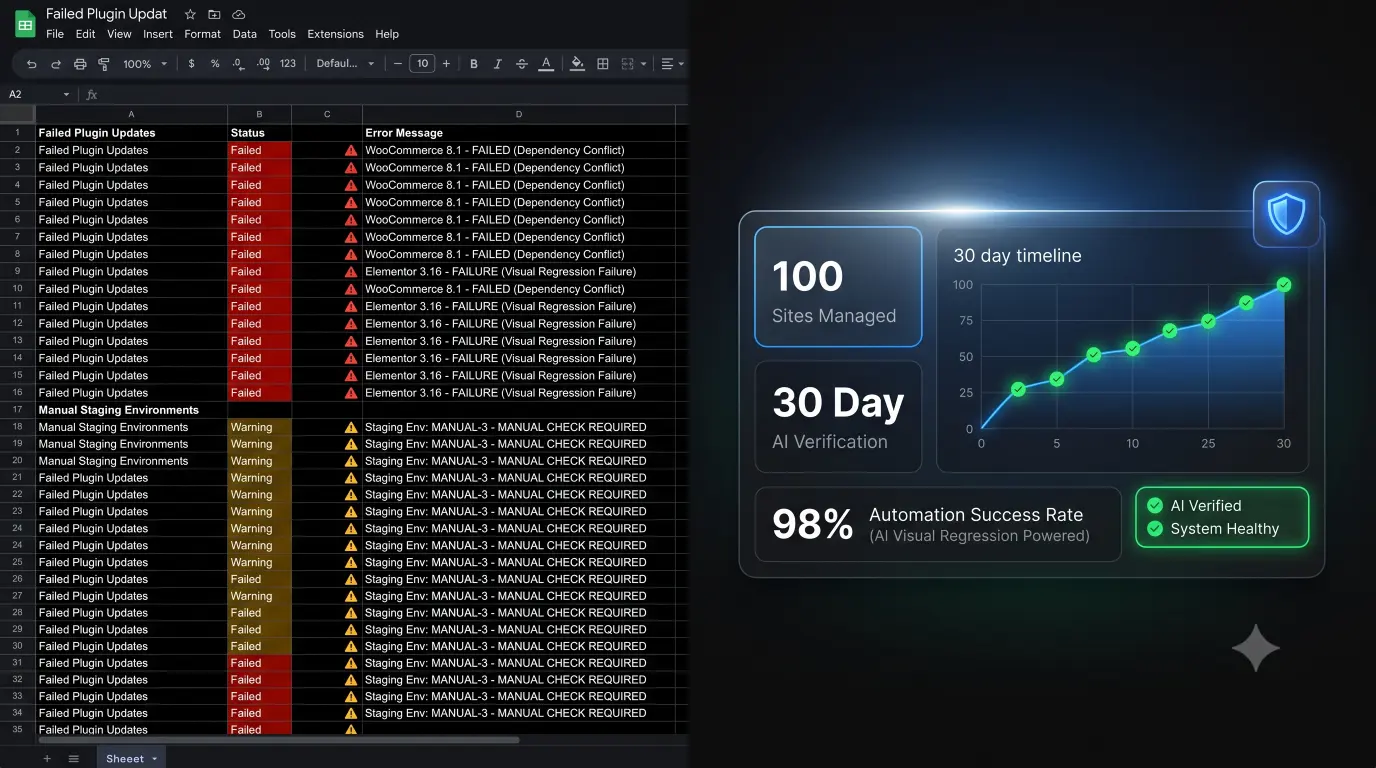
We stopped treating WordPress maintenance as a manual checklist and tested what happens when updates, security, uptime, and visual verification are handled autonomously from a single WebOps platform.
The WordPress maintenance industry is built on a dirty secret. If you are paying an agency a flat monthly fee to “keep your site updated,” there is a very high probability that a junior developer is logging into a legacy dashboard once a week, clicking “Bulk Update All,” and simply hoping nothing shatters.
If they do not use a bulk updater, they are spending dozens of unbillable hours manually cloning sites to staging environments to test those updates. Neither model scales profitably.
At Datronix Tech, we wanted to answer a simple, foundational question: Can an agency safely operate a large WordPress portfolio without manually checking every site?
We decided to run an experiment. For 30 days, we handed over the routine maintenance of 100 diverse WordPress installations entirely to our autonomous AI platform, SiteOps. We removed manual QA testing entirely.
We wanted to see exactly where AI succeeded, where it failed, and what actually breaks when you push updates across a complex ecosystem. Here is the unvarnished data.
1. The 100-Site Experiment Parameters
We did not want a sterilized laboratory environment. We selected a highly volatile cross-section of 100 active WordPress sites to push the platform to its limits.
The Portfolio Breakdown:
- Total Sites: 100
- Hosting Environments: A chaotic mix of cheap shared hosting (HostGator, Bluehost), managed WordPress hosts (WP Engine, Kinsta), and custom Nginx VPS environments (DigitalOcean, Vultr).
- Page Builders: 45 Elementor sites, 15 Divi sites, 10 Bricks builder sites, and 30 standard Gutenberg builds.
- E-Commerce: 22 active WooCommerce stores (the highest-risk environments).
- Plugin Density: Ranged from minimalist sites with 5 plugins to heavy LMS/E-commerce sites running 65+ active plugins.
- PHP Versions: Ranged from outdated 7.4 up to 8.2.
We connected these sites to the SiteOps WordPress maintenance tool and scheduled autonomous weekly updates. We instructed the system to use AI visual regression testing to verify the frontend and execute auto-rollbacks if a visual shift was detected.
2. What Happened When We Ran Updates
Over the 30-day period, the WordPress ecosystem was highly active. Here is the raw execution data across the 100-site portfolio:
- Total Plugin & Theme Updates Available: 1,412
- Total Updates Executed: 1,412
- Updates Passed (Visually Verified Stable): 1,384
- Updates Failed (Visual Break Detected): 28
- Successful Auto-Rollbacks Executed: 28
The platform achieved a 98% autonomous success rate.
For 1,384 updates, the AI spun up a headless browser, took a screenshot, pushed the code, cleared the cache, took a second screenshot, verified that the DOM remained completely stable, and finalized the update. Zero human intervention was required.
For the 28 updates that failed, the AI detected a layout shift that exceeded our strict 5% variance threshold. Within seconds of the failure, SiteOps queried the backup vault and autonomously rolled the database and file system back to their pre-update state.
The clients never saw a broken site. We simply received a notification in our dashboard logging the exact plugin that caused the failure, allowing us to investigate on a staging server on our own time.
3. The HTTP 200 Problem (Why Legacy Tools Fail)
This experiment highlighted the fatal flaw of legacy remote-control platforms. If we had used a standard ManageWP alternative with a “Safe Update” feature, all 1,412 updates would have been marked as “Successful.”
Legacy tools execute an update and check the server for an HTTP 200 “OK” status code. If the server responds, the dashboard displays a green checkmark.
A website returning HTTP 200 does not mean the website is functioning correctly.
During our 30-day test, we observed several failures where the server responded perfectly with a 200 OK status, but the site was functionally destroyed:
- Elementor CSS Collapse: An optimization plugin update aggressively deferred a critical stylesheet. The homepage loaded as unstyled, massive Times New Roman text. (HTTP 200: Yes. Usable: No).
- WooCommerce Checkout Hidden: A payment gateway update caused a JavaScript conflict that hid the “Place Order” button on mobile devices. (HTTP 200: Yes. Usable: No).
- Z-Index Navigation Failure: A minor header plugin update changed a z-index value, causing an advertising banner to permanently overlay and block the main navigation menu. (HTTP 200: Yes. Usable: No).
Relying on server pings to verify frontend code changes is a massive liability. If you do not have visual verification, you are pushing blind updates.
4. What the AI Actually Caught (Visual Regression in Action)
We do not claim our AI is magic; we claim it is observant. It acts as an automated, tireless QA tester. Here is exactly what the visual regression engine flagged during the 28 failed updates.
Before/After Variance Detections:
- Missing Elements (12 instances): The AI successfully flagged missing hero background images, vanished lead capture forms, and missing footer widgets caused by conflicting shortcodes.
- Layout Shifts (10 instances): It caught CSS grid breakages where three-column product layouts collapsed into a single massive vertical column.
- Fatal Error Strings (6 instances): When a plugin updated to require PHP 8.1 on a server running PHP 7.4, the frontend threw a raw PHP syntax error string. The AI instantly recognized the visual variance from the baseline snapshot and rolled it back.
Crucially, the Vision Language Model (VLM) successfully ignored expected dynamic content. On sites with rotating latest blog post carousels or live Instagram feeds, the AI correctly identified that the visual variance was normal content rotation, not a broken layout, and allowed the update to pass.
5. The Sites AI Could Not Safely Verify
Transparency is critical. We designed SiteOps to be highly conservative. If the AI is unsure, it defaults to safety (rolling back). There were specific scenarios where we still preferred human intervention.
- Heavy Anti-Bot Protections: 3 sites were running extreme Cloudflare “Under Attack” modes or strict server-level bot challenges. The SiteOps headless browser was occasionally challenged by these CAPTCHAs, preventing it from taking a clean “After” screenshot. The system paused the update and requested manual review.
- Complex Multi-Step Checkouts: While visual regression perfectly verifies the visual presence of a checkout page, it cannot currently insert a dummy credit card and complete a multi-step conditional logic transaction. For our highest-tier WooCommerce clients, we paired the visual AI with a dedicated synthetic transaction monitoring script.
These limitations validate the engineering. The platform is designed to safely update WordPress plugins; if it cannot visually verify safety due to server blocking, it refuses to push the code blindly.
6. How Much Agency Time This Actually Saves
Let us calculate the exact operational ROI of this 30-day experiment.
To safely manage multiple WordPress sites manually, an agency must clone the site to a staging server, run the updates, and visually verify the layout.
- Manual QA time per site: 15 minutes per week.
- 100 sites $\times$ 15 minutes = 25 hours per week.
- Total monthly QA time = 100 hours.
If your agency bills at $100 an hour, you are burning $10,000 in unbillable time every single month just to manually verify that plugin updates did not shatter a CSS grid.
By utilizing AI WordPress maintenance, our human involvement was reduced to reviewing the 28 specific failed updates on staging servers.
- 28 failed updates $\times$ 15 minutes of manual triage = 7 hours total monthly.
We reclaimed 93 hours of senior developer time in 30 days, simply by letting the software verify its own work.
7. What Surprised Us the Most
The biggest surprise during the 30 days was not the plugin updates; it was the frequency of silent downtime caught by the high-frequency WordPress uptime monitoring.
We set the SiteOps monitors to ping the 100 sites every 5 minutes natively. Over 30 days, we logged 41 distinct downtime events across the portfolio.
However, 36 of these events lasted less than 4 minutes. They were minor server hiccups, database restarts, or shared hosting limits being temporarily exhausted. Legacy tools that check every 30 or 60 minutes completely missed these micro-outages.
This data allowed us to approach three specific clients and definitively prove that their cheap shared hosting was actively harming their business, leading directly to lucrative server migration projects.
Furthermore, the WordPress security monitoring engine autonomously flagged 4 active zero-day CVE vulnerabilities in real-time, allowing us to patch them before the plugin developers even sent out their official email newsletters.
8. What We Would Change Before Doing This Again
This experiment drove direct improvements back into the SiteOps product.
- Smarter Caching Handling: We found that certain aggressive edge-caching configurations (like heavily modified LiteSpeed setups) were serving stale “After” screenshots to the headless browser. We rewrote the update engine’s cache-purging sequence to definitively clear edge nodes before taking the final visual snapshot.
- Confidence Scoring: We introduced a confidence scoring engine to the AI variance analysis, allowing users to adjust the sensitivity threshold for layout shifts on a per-site basis.
By eating our own dog food and managing 100 live sites exclusively through the platform, we hardened the architecture.
The Bottom Line: Automation Requires Verification
The WordPress ecosystem has evolved past the era of blind bulk updates. If you use a legacy MainWP alternative to push code without visual verification, you are actively taking on massive operational liability.
Can an agency safely operate a large WordPress portfolio without manually checking every site? Yes. But only if the software acts as an autonomous QA tester.
Want to see what SiteOps finds on your portfolio?
Stop burning billable hours on manual staging tests. Connect your first WordPress site and run this exact visual regression workflow on your own infrastructure.
Managing 5+ sites? Join the Founding Agency Program for personal onboarding, flat-rate unlimited pricing, and priority access to upcoming features.
Scale Your Agency Today
Join 500+ agencies automating their WordPress maintenance. Get started with 3 sites for free. No credit card required.