The Real Cost of a WordPress Hack (And Who Actually Pays for It)
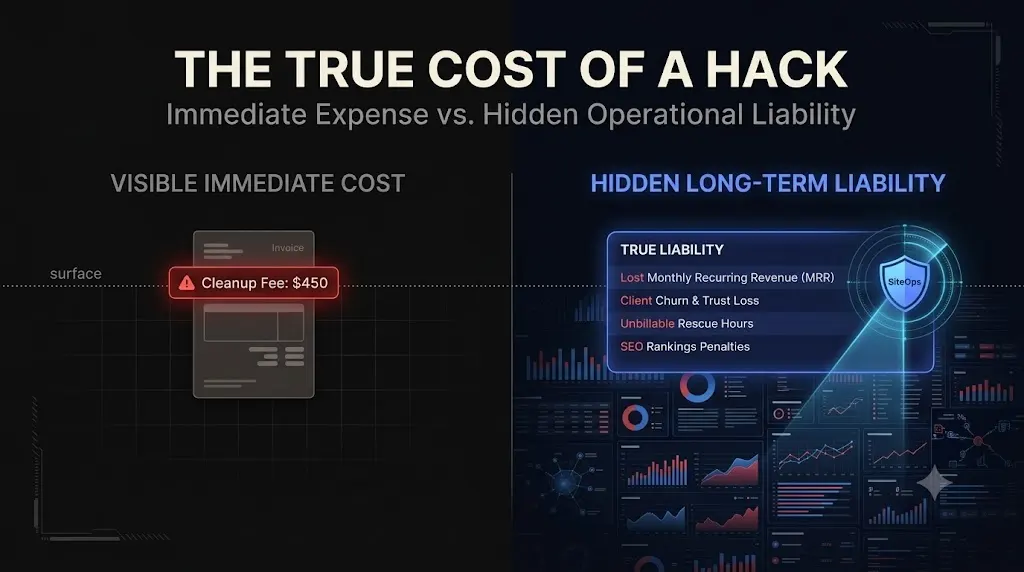
The real cost of a wordpress hack is a cascading financial disaster that impacts both the client’s revenue and the agency’s profit margins. If you do not have a strict WordPress maintenance contract in place, the liability almost always falls on you.
It is 9:00 AM on a Monday. Your highest-paying client forwards you an email from Google Search Console. The subject line reads: “New Security issue detected.” When you visit the site, a giant red warning screen greets you. The site has been blacklisted for hosting malware.
The client’s first question is always: “How fast can you fix this?”
Your first question, internally, is usually: “Who is going to pay for this?”
When a WordPress site is compromised, the immediate focus is on technical remediation. Agencies scramble to find the entry point, delete the malicious files, and submit a review request to Google. But the technical cleanup is only the surface of the problem.
This guide breaks down the true financial and operational cost of a security breach, the industry averages for malware removal, and how top-tier agencies flip this liability into a high-margin, automated defense service.
Quick Answer: What is the average cost to fix a hacked WordPress site?
The average cost to fix a hacked WordPress site ranges from $450 to $2,000+ for a professional, one-time cleanup, depending on the severity of the infection. However, the real cost includes the client’s lost sales during downtime, the permanent drop in SEO rankings due to blacklisting, and the unbillable hours the agency spends executing the cleanup. This is why agencies must prioritize automated, proactive security over reactive cleanups.
The Visible Cost: WordPress Malware Removal Pricing
If an agency does not have the internal expertise to handle a complex forensic cleanup (like tracking down a persistent Ghost Admin), they must outsource the job.
The wordpress malware removal cost is driven primarily by severity and urgency. Based on industry averages in 2026, here is what a third-party security firm will charge:
- Minor Infection ($200 – $450): Caught early. Usually involves simple spam content injection or a few affected files in the
wp-content/uploadsdirectory. No deep backdoors found. - Moderate Infection ($450 – $1,300): Multiple infected files, obfuscated PHP, one or more hidden backdoors, and the site may be flagged by Google Safe Browsing. Requires thorough database cleaning.
- Severe Infection ($1,300 – $2,000+): Deep file and database compromise, multiple persistent backdoors (like MU-plugins), e-commerce transaction manipulation, or sensitive data exposure. Often requires completely rebuilding the server environment.
If your agency relies on cheap, flat-rate Fiverr gigs for malware removal, you are likely only getting the surface-level symptom deleted, leaving the persistence mechanism intact. The site will be hacked again within 72 hours.
The Hidden Agency Cost: The Unbillable Black Hole
If you decide to handle the cleanup in-house, you are not paying a third-party vendor. But you are paying a much steeper price: your agency’s billable capacity.
The Triage Time Sink
A proper, forensic cleanup is not a matter of simply installing a free WordPress security plugin and clicking “Scan.” Basic plugins routinely miss advanced, database-level malware.
To truly sterilize a site, a senior developer must:
- Isolate the server and preserve forensic evidence.
- Manually audit the raw database for hidden users and serialized payloads.
- Replace all WordPress core files via FTP.
- Audit the
mu-pluginsdirectory. - Patch the vulnerability that allowed the breach.
This process takes a highly skilled developer anywhere from 4 to 12 hours. If your agency bills at $150 an hour, an 8-hour cleanup just cost your business $1,200 in lost productivity. If the client is paying you $100 a month for basic hosting, you just wiped out the profit margin for that client for the entire year.
The Liability Dispute
If you do not explicitly define liability in your maintenance contract, the client will assume the hack is your fault. They will expect you to fix it for free.
If you refuse, they will churn. If you agree, you absorb the financial loss. This “who pays?” argument is the fastest way to destroy a client relationship. You are forced to absorb the real cost of a wordpress hack simply to avoid losing the client entirely.
The Hidden Client Cost: The Business Impact
While the agency absorbs the operational cost, the client absorbs the catastrophic business cost. You must understand this impact to effectively sell proactive security.
1. The Immediate Revenue Loss
The most obvious impact is the disruption of the conversion funnel. If a site is blacklisted by Google, traffic drops to zero instantly.
If your client runs a WooCommerce store generating $5,000 a day, a weekend-long hack costs them $10,000 in hard revenue. The hidden cost of broken WordPress updates and security breaches is always measured in abandoned carts and lost leads.
2. The SEO Death Spiral
Google does not forgive quickly. When a site is flagged for “Deceptive Pages” or malware, Google plummets its organic rankings to protect users.
Even after you clean the site and successfully submit a review request (which can take 48 to 72 hours to process), the site rarely returns to its previous ranking position immediately. The loss of organic momentum can impact the client’s lead generation for months, costing tens of thousands of dollars in long-term revenue.
3. The Reputational Damage
When a customer sees a bright red warning screen telling them a business is trying to steal their passwords, trust is instantly shattered. They will click “Back” and go to a competitor. Rebuilding brand trust after a public security failure is an incredibly expensive marketing challenge.
Flipping the Liability: Proactive Defense as a Service
The math is undeniable: reactive malware removal is a losing proposition for both the agency and the client. To build a highly profitable WordPress maintenance retainer, you must shift your model from reactive triage to proactive, automated defense.
You cannot fight automated botnets with manual FTP searches. You must upgrade your tech stack to catch the exploit before the payload is delivered.
The SiteOps Automated Defense Matrix
This is exactly why we engineered SiteOps. We needed an autonomous system that eliminated the manual labor of security so agencies could scale their MRR safely.
SiteOps does not wait for Google to flag a site. It actively hunts for the conditions that allow a hack to occur, operating entirely outside the easily manipulated WordPress environment.
- Proactive CVE Tracking: Over 90% of hacks originate from outdated third-party plugins. SiteOps continuously cross-references your active plugins against global CVE (Common Vulnerabilities and Exposures) databases. You are alerted to zero-day threats instantly, allowing you to patch the hole before a botnet finds it.
- Core File Integrity Checking: It compares the cryptographic hashes of every core file on your server against the official WordPress.org records, instantly spotting injected code.
- Raw Database Scanning: SiteOps reads the
wp_optionsandwp_userstables directly, catching hidden Ghost Admin backdoors that actively lie to standard security plugins. - 1-Click Forensic Remediation: If a persistent threat (like a malicious MU-plugin) is detected, SiteOps allows you to safely quarantine the file and drop the hidden user directly from the raw database with a single click, completely eliminating the need for unbillable, manual FTP triage.
Stop Absorbing the Cost of Compromise
A hacked client site is not just a technical problem; it is a massive financial liability that actively destroys your agency’s profitability.
If you are relying on basic, reactive security plugins or waiting for clients to complain about red warning screens, you are eventually going to pay the average cost to fix a hacked wordpress site out of your own pocket.
Stop acting as a manual security guard. Shift the liability, automate the defense, and protect your profit margins.
SiteOps automates the entire forensic workflow. Test the deep scanning engine today, free for 3 sites.
Frequently Asked Questions
What is the real cost of a WordPress hack? The real cost includes the immediate loss of revenue during downtime, the permanent damage to SEO rankings if the site is blacklisted, the reputational damage to the brand, and the thousands of dollars in unbillable developer hours the agency must spend on forensic cleanup.
What is the average cost to fix a hacked WordPress site? A professional, one-time malware removal service typically costs between $450 and $2,000, depending on the severity of the infection. Deeply embedded backdoors or e-commerce compromises require more forensic labor and cost significantly more.
Why do basic security plugins miss WordPress malware? Standard security plugins run inside the WordPress environment. If an attacker uses a hidden script (like an MU-plugin) to intercept the core functions WordPress uses to list users or read files, the security plugin is tricked into analyzing manipulated data and falsely reports the site as clean.
What is a Ghost Admin in WordPress? A Ghost Admin is a malicious administrator account created by an attacker. The attacker uses a hidden PHP script to intercept database queries, essentially erasing their username from the standard dashboard user list so the site owner or security plugin never sees them.
Who pays for a WordPress hack cleanup? If the agency does not have a strict maintenance contract explicitly defining liability, the client will usually expect the agency to fix the hack for free. To avoid absorbing this cost, agencies must clearly outline exclusions in their Service Level Agreements.
How do attackers get malware onto a WordPress site? The vast majority of breaches occur because of outdated, vulnerable third-party plugins. Attackers use automated botnets to scan the internet for sites running specific outdated plugin versions and instantly deploy exploits to gain unauthorized access.
How do agencies prevent WordPress hacks at scale? Top agencies eliminate manual security checks by using centralized WebOps platforms. Tools like SiteOps run automated, deep forensic scans daily and track CVE vulnerabilities in real-time, allowing agencies to patch zero-day threats before an automated botnet can exploit them.
Does deleting a malicious plugin remove the hacker? Usually, no. Sophisticated attackers establish deep persistence. Even if you delete a visible malicious plugin via FTP, they likely left a Ghost Admin in your database or a hidden script in your mu-plugins folder that will simply reinstall the malware on the next page load.
What is the fastest way to clean a hacked WordPress site? The fastest and safest method involves bypassing the WordPress dashboard entirely. You must use a forensic tool or direct database access (like phpMyAdmin) to find and delete unauthorized users, followed by a complete replacement of WordPress core files via FTP.
How does SiteOps detect hidden WordPress malware? SiteOps bypasses the standard WordPress API. It utilizes a forensic engine that reads raw database tables, verifies core file cryptographic checksums against WordPress.org, recursively scans for hidden PHP, and hunts for obfuscated code using advanced Regex.
Scale Your Agency Today
Join 500+ agencies automating their WordPress maintenance. Get started with 3 sites for free. No credit card required.