How to Implement Automated WordPress Rollbacks When Plugin Updates Fail
To scale a digital agency profitably in 2026, you cannot rely on manual emergency recoveries. You must build a system that fixes its own mistakes. This guide explains the massive financial risk of manual restorations, the technology required to detect failures instantly, and how top tier agencies implement an automated wordpress plugin rollback to eliminate client downtime entirely.
Every WordPress agency owner has experienced the cold sweat of a failed update.
You log into your management dashboard on a Friday afternoon and push a batch of plugin updates to a client’s high traffic WooCommerce store. A few seconds later, the site crashes. A minor conflict between a caching tool and the theme completely shatters the CSS layout, or worse, triggers a PHP fatal error resulting in the dreaded White Screen of Death.
The clock starts ticking immediately. Every minute the site is broken, your client loses money, and your agency loses trust.
In a traditional agency workflow, fixing a broken update requires emergency triage. You must drop your billable work, log into the server via FTP, disable the conflicting plugins, and manually restore the database from a backup. This unbillable labor destroys the profit margins of your maintenance retainers.
Quick Answer: What is an automated WordPress plugin rollback?
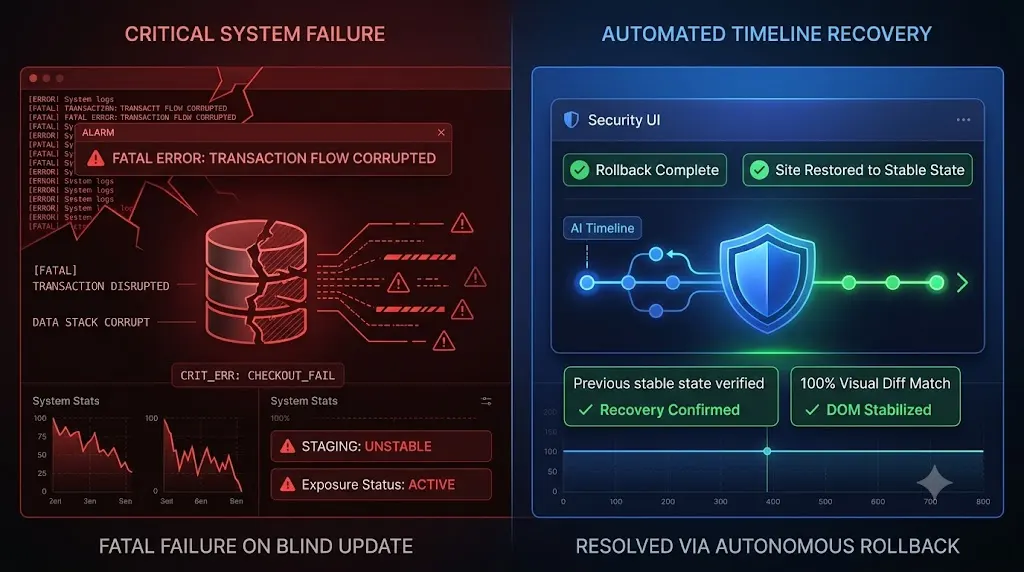
An automated WordPress plugin rollback is a security protocol executed by an advanced WebOps platform. When the platform updates a plugin, it uses AI visual regression testing or synthetic bots to verify the live website. If the AI detects that the update caused a broken layout, a missing checkout, or a fatal error, the system instantly and autonomously restores the site’s files and database to their exact stable state from immediately before the update, preventing any client downtime.
The Flaw in the “Update and Pray” Methodology
To understand why automated rollbacks are a mandatory requirement for modern agencies, you must examine how legacy tools handle plugin updates.
If you use a basic ManageWP alternative or a standard dashboard to click “Update All,” you are engaging in blind execution. The tool pushes the new code to your client’s server and checks for an HTTP 200 server response. If the server is awake, the dashboard gives you a green checkmark.
This process is fundamentally flawed because it relies entirely on the client or your agency to discover the breakage later.
If a plugin update breaks a lead generation form silently, your basic WordPress monitoring tool will not alert you. The site might remain broken for days before anyone notices. This gap is known as the “Time to Detection” (TTD), and it is the most expensive metric in web maintenance.
The Danger of Manual Database Restorations
When you finally discover that an update broke your client’s site, the standard operating procedure is to restore a backup. However, manual restorations carry a massive, often overlooked risk: data loss.
If an update breaks a WooCommerce checkout on Friday, and you do not discover the issue until Monday, you have a major problem. If you restore the Friday afternoon database backup to fix the broken checkout code, you will permanently erase every single new customer account, blog comment, and successful order processed over the weekend.
The site is broken, but the data is live.
This forces your senior developers into hours of excruciating, unbillable manual triage. They must isolate the conflicting plugin via FTP and fix the code without touching the live database. The hidden cost of broken WordPress updates is the sheer amount of time your team wastes trying to perform surgical fixes on live production sites.
The Solution: The Autonomous Rollback Architecture
You cannot build a highly profitable WordPress maintenance retainer if your business model requires emergency human intervention. You must decouple the execution of updates from human Quality Assurance.
To guarantee safe WordPress updates, top agencies have transitioned to autonomous WebOps platforms. These platforms utilize an architecture that combines instant detection with active remediation.
This is exactly how AI WordPress maintenance is changing agencies.
Here is the exact technical framework required to execute an automated wordpress plugin rollback successfully.
1. The Pre Flight Snapshot (The Safety Net)
An automated rollback is impossible without a perfect, instantaneous restore point.
Before an autonomous platform executes a plugin update, it triggers a micro backup of the specific files being targeted and a snapshot of the current MySQL database. This ensures that the system has an exact replica of the environment from just three seconds prior to the code change.
2. Detection via Visual Regression Testing
An automated rollback is useless if the system does not know the site is broken. Because HTTP 200 server pings cannot detect shattered layouts, the platform must “see” the website.
Advanced platforms deploy a headless Chromium browser. They take a pixel perfect, high resolution screenshot of the live site before the update. After the code is pushed and the cache is cleared, they take a second screenshot.
Artificial intelligence compares the two images. It instantly detects if a CSS grid collapsed, a hero image disappeared, or a WooCommerce “Add to Cart” button shifted off the screen.
3. Detection via Synthetic Transactions
Visuals alone are not enough to verify business logic. The system must also deploy a synthetic bot to actively use the website during the update window.
The bot adds a product to the cart, navigates to the checkout page, and verifies that the Stripe or PayPal API rendered the credit card input fields correctly. If the checkout fails to load, the system flags the update as a critical failure.
4. The Instant Autonomous Reversal
This is where the magic happens. If the AI detects a visual layout break or a failed synthetic transaction, the update sequence halts immediately.
Without waiting for human approval, the system triggers the automated wordpress plugin rollback. It reaches into the pre flight snapshot and autonomously overwrites the corrupted database and files. The site is restored to its exact stable state in a matter of seconds.
Because the Time to Detection (TTD) was reduced to zero, the database had no time to evolve. No new customer orders were lost during the 10 second window. The client never experiences downtime, and you simply wake up to a dashboard notification explaining which plugin failed the test.
Implementing Autonomous Operations with SiteOps
When evaluating how to manage multiple WordPress sites efficiently, you must demand a platform that verifies its own work.
If you use a legacy MainWP alternative or standard SaaS tools, you are paying for the privilege of executing blind updates. A detailed ManageWP vs SiteOps comparison proves that automating execution without automating remediation is a flawed model.
We engineered SiteOps specifically to act as your autonomous WebOps engineer. It is the only WordPress maintenance tool that unifies AI visual regression testing, synthetic transaction bots, and instant auto rollbacks into a single, seamless workflow.
When you connect a client site to SiteOps, you completely eliminate the unbillable manual QA bottleneck. You can confidently update 100 client sites simultaneously, knowing that if a single plugin conflicts with a custom theme, SiteOps will catch the visual break and reverse it instantly.
Furthermore, SiteOps leverages this proactive architecture for security. Our proactive WordPress security monitoring bypasses the WordPress API to execute deep forensic scans, allowing you to quarantine hidden malware with a single click.
Stop testing staging sites manually. Stop writing apology emails for broken checkouts.
You can automate WordPress maintenance for multiple sites securely today.
Protect your agency client sites with SiteOps automated rollbacks. Start your free trial for up to 3 sites now.
Frequently Asked Questions
What is an automated WordPress plugin rollback? It is a safety protocol executed by advanced maintenance platforms. During a plugin update, the system uses AI to visually verify the website. If the update breaks the site layout or causes a fatal error, the platform instantly and autonomously restores the site’s files and database to their stable pre update state.
Why do plugin updates break WordPress sites? Plugins frequently conflict with custom themes or other active scripts. A new update might require a newer version of PHP causing a fatal error, alter a critical CSS class used by your page builder, or fail mid execution during a complex database schema migration, resulting in a broken frontend layout.
Why are manual backups not enough to protect a site? Manual backups are passive. They do not monitor your site. If an update breaks your site on Friday but you do not notice until Monday, restoring the Friday backup will permanently delete all new customer orders, leads, and content created over the weekend. You need active detection.
How does visual regression testing trigger a rollback? Visual regression testing uses a headless browser to take a screenshot of your site before and after an update. AI compares the images pixel by pixel. If it detects a shattered CSS layout or a missing button, it fails the update and signals the maintenance platform to trigger the rollback immediately.
Can WordPress automatically rollback plugins on its own? Native WordPress includes a basic recovery mode for fatal PHP errors, but it does not perform visual verification. If an update shatters your CSS layout but the server code still runs, native WordPress will not detect the error or roll back the plugin. Safe automation requires dedicated third party AI tools.
Why did my uptime monitor miss my broken website? Legacy WordPress uptime monitoring tools only check for an HTTP 200 OK status code, meaning the server responded. Your site could have a completely broken layout or a missing checkout button, and the basic ping bot will still falsely report the site as fully operational.
How do agencies manage multiple updates without breaking sites? Top tier agencies no longer use manual staging tests for every update because they are highly unprofitable. They use white-label WordPress maintenance platforms like SiteOps that utilize AI visual regression testing to verify layouts autonomously and execute instant auto rollbacks.
What is a synthetic transaction in WordPress testing? A synthetic transaction is an automated process where a headless browser acts like a real user. It navigates to a product page, adds an item to a cart, or clicks submit on a lead form to visually verify that the business logic of the site is intact without requiring human labor.
What happens if an auto rollback fails? In enterprise grade platforms like SiteOps, if an auto rollback encounters a critical server timeout during restoration, the system immediately halts and sends an emergency priority alert to the agency administrators, providing raw server logs for manual intervention.
How do you prove the value of automated rollbacks to a client? Use an automated reporting tool to generate an executive summary. The report should highlight exactly how many plugin updates were executed and explicitly note any instances where an auto rollback prevented a fatal layout break, proving you actively protected their revenue and brand image.
Scale Your Agency Today
Join 500+ agencies automating their WordPress maintenance. Get started with 3 sites for free. No credit card required.